
Zion XRay
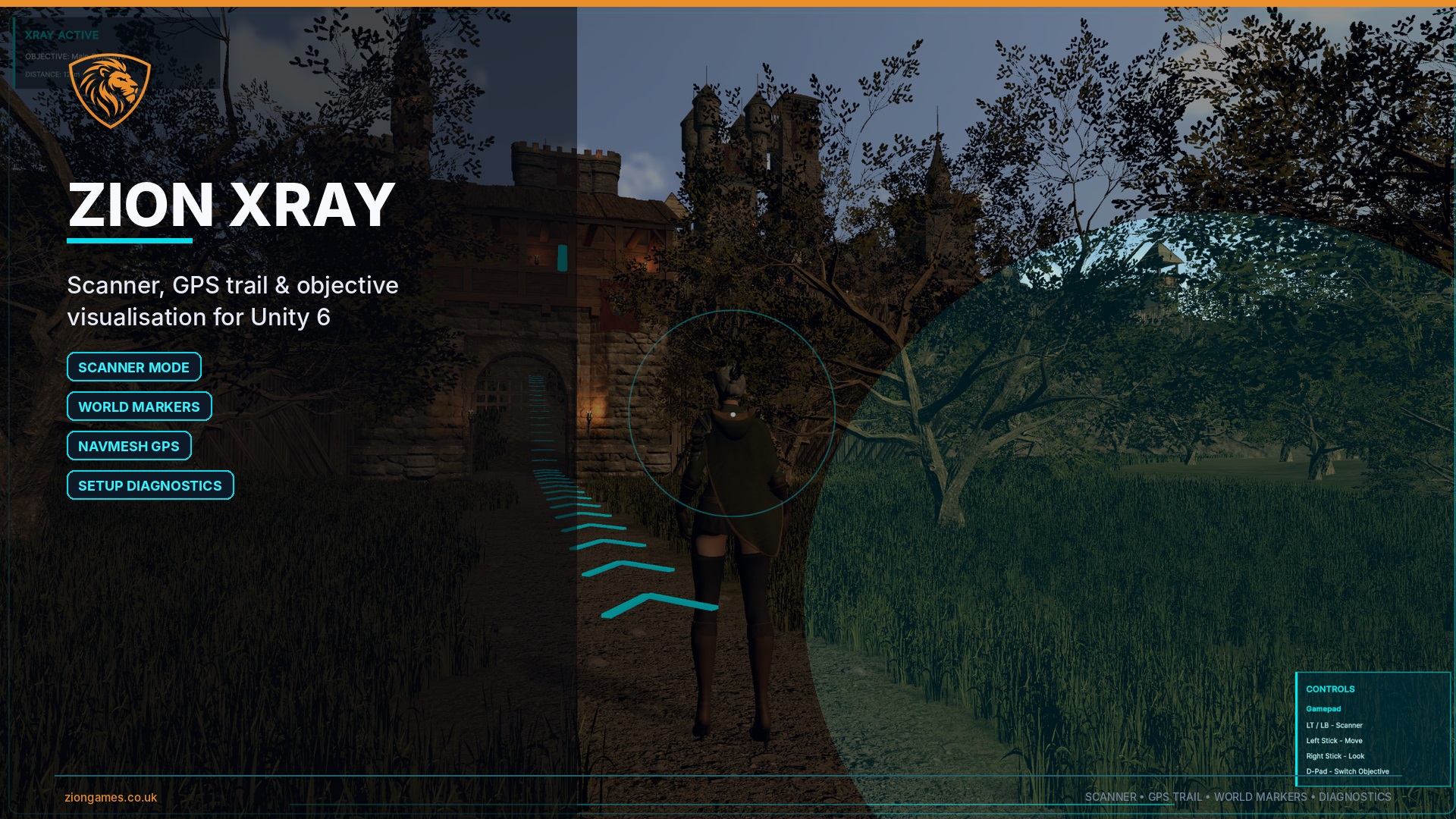
Scanner mode, world markers, GPS objective trails and setup diagnostics for Unity 6.
Overview
Zion XRay is a controller-agnostic scanner and objective visualisation module for Unity 6. It helps players find, identify and navigate towards important objectives without replacing your existing player controller, camera system, quest system or interaction logic.
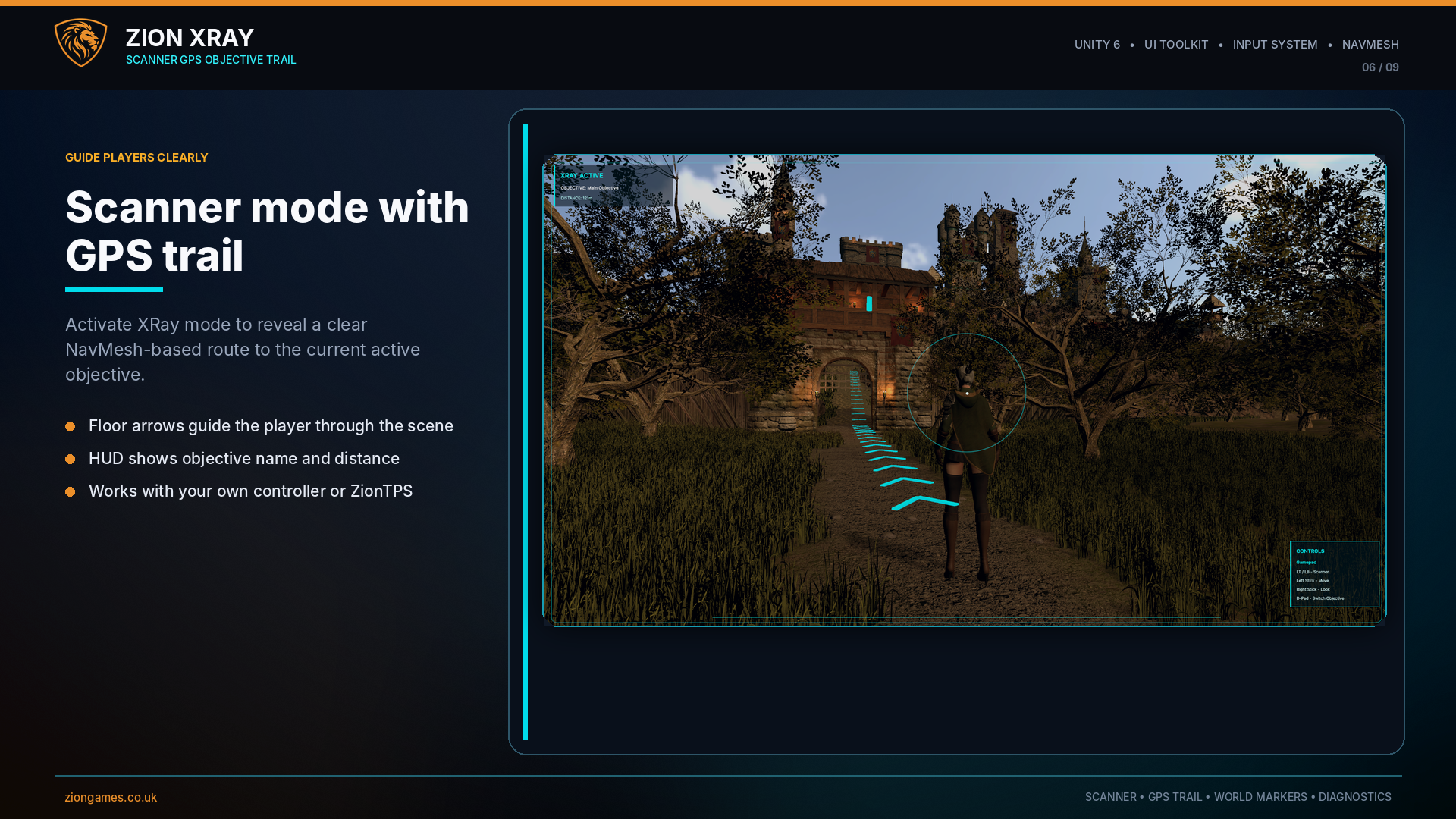
Activate scanner mode to show a UI Toolkit HUD, display world markers, highlight the active objective using a stable filled XRay silhouette, and guide the player with a NavMesh-based GPS trail across the floor.
Version 1.1 introduced the major polish and reliability pass: clearer world markers, stronger active objective emphasis, screen-edge indicators, HUD presentation options, a diagnostics window and diagnostics built directly into the Setup Wizard. Version 1.1.1 adds Objective Focus Mode and verified Unity 6.0, 6.3 and 6.5 compatibility.
Core Features
Scanner mode
Toggle an XRay scanner layer using Unity's Input System, with HUD feedback, scan visuals and scanner-only guidance.
Active objective tracking
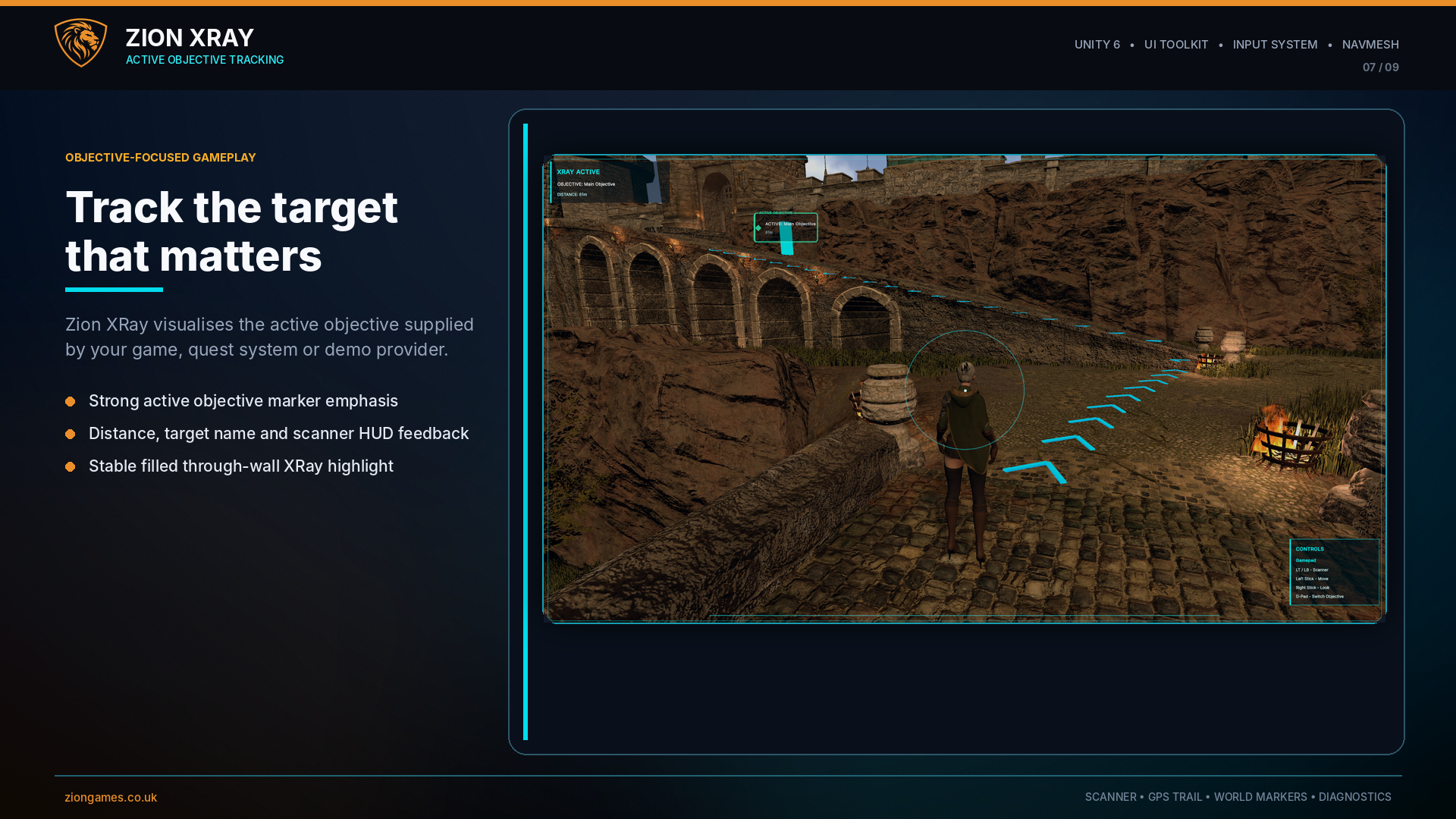
Visualise the objective supplied by your own game logic using HUD text, distance display, active marker styling and through-wall highlighting.
NavMesh GPS trail
Generate floor chevrons that follow a NavMesh route to the active objective instead of drawing a simple straight line through the level.
World markers
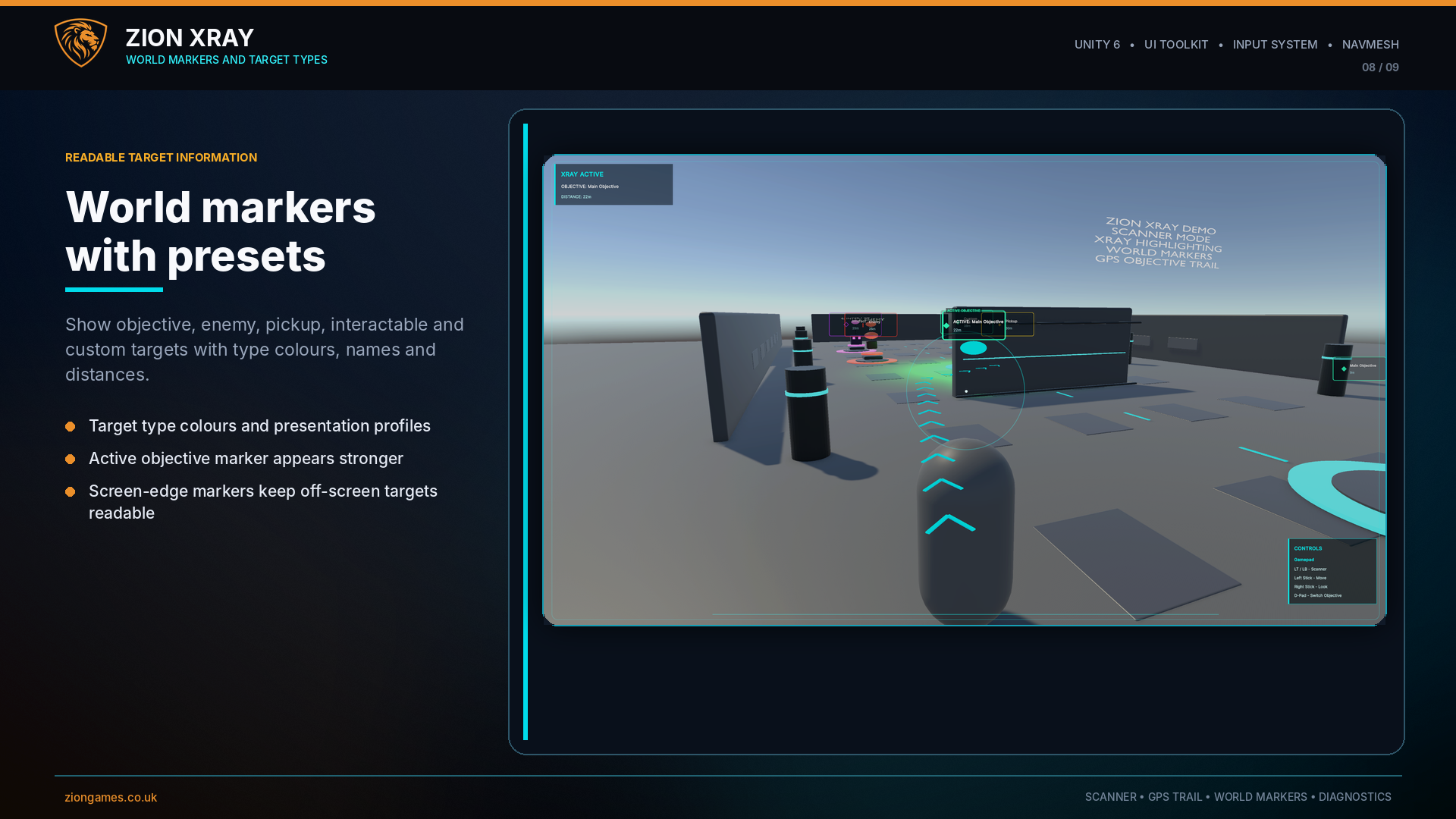
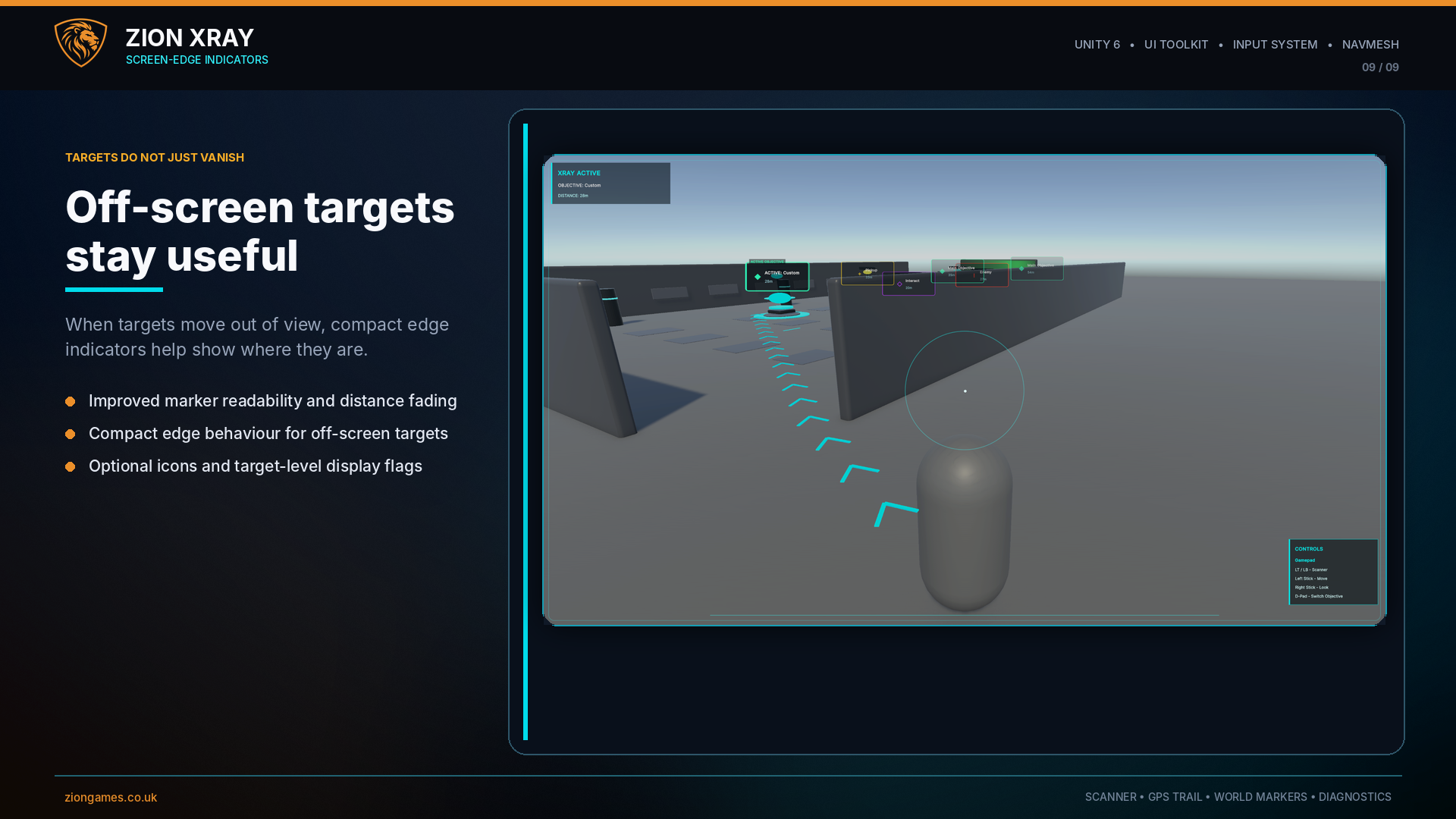
Show floating UI labels with names, distances, target colours, optional icons, active objective emphasis and screen-edge indicators.
HUD customisation
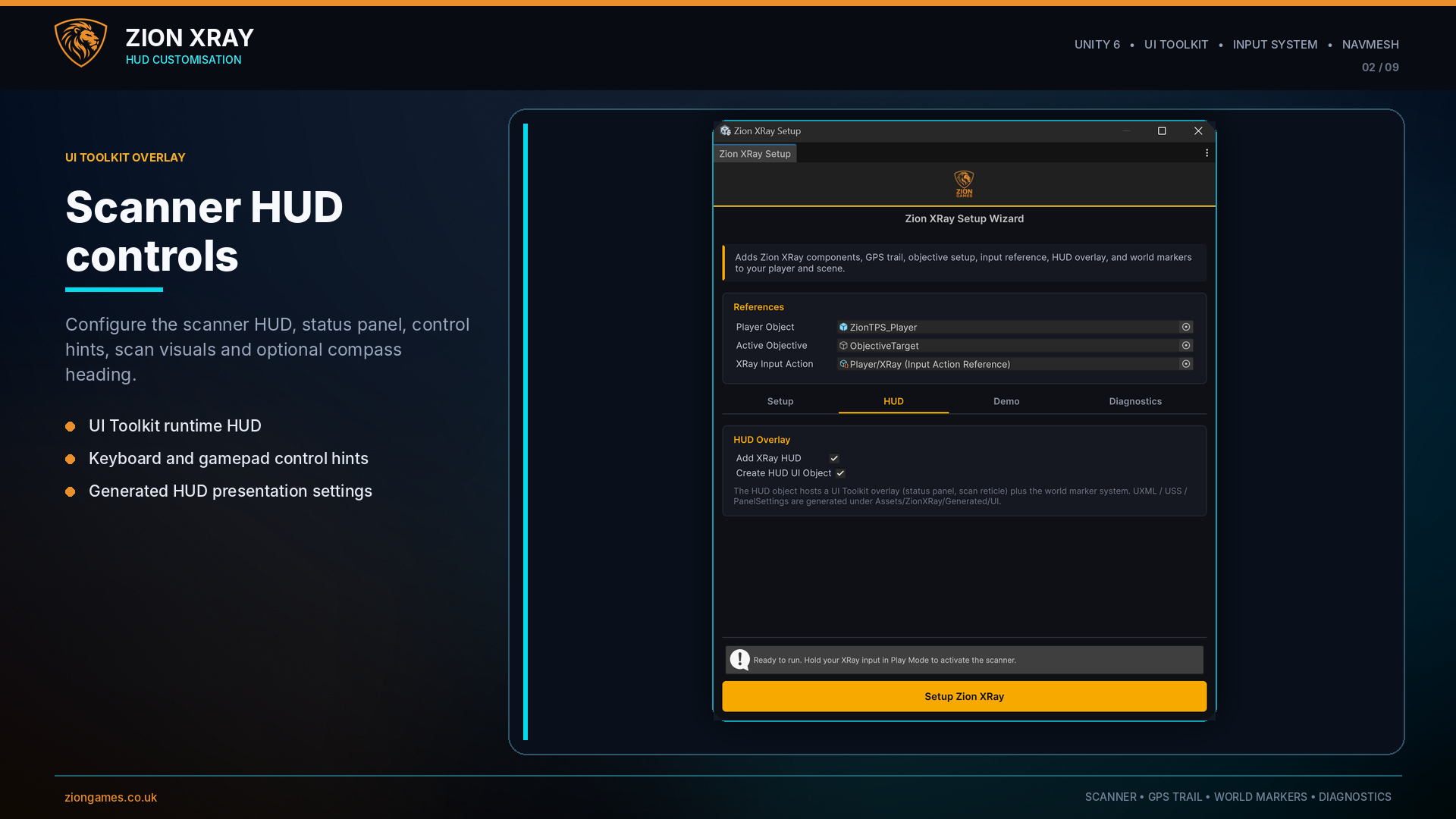
Configure scanner status text, objective title, distance display, control hints, scan visuals and optional compass heading through presentation settings.
Setup diagnostics
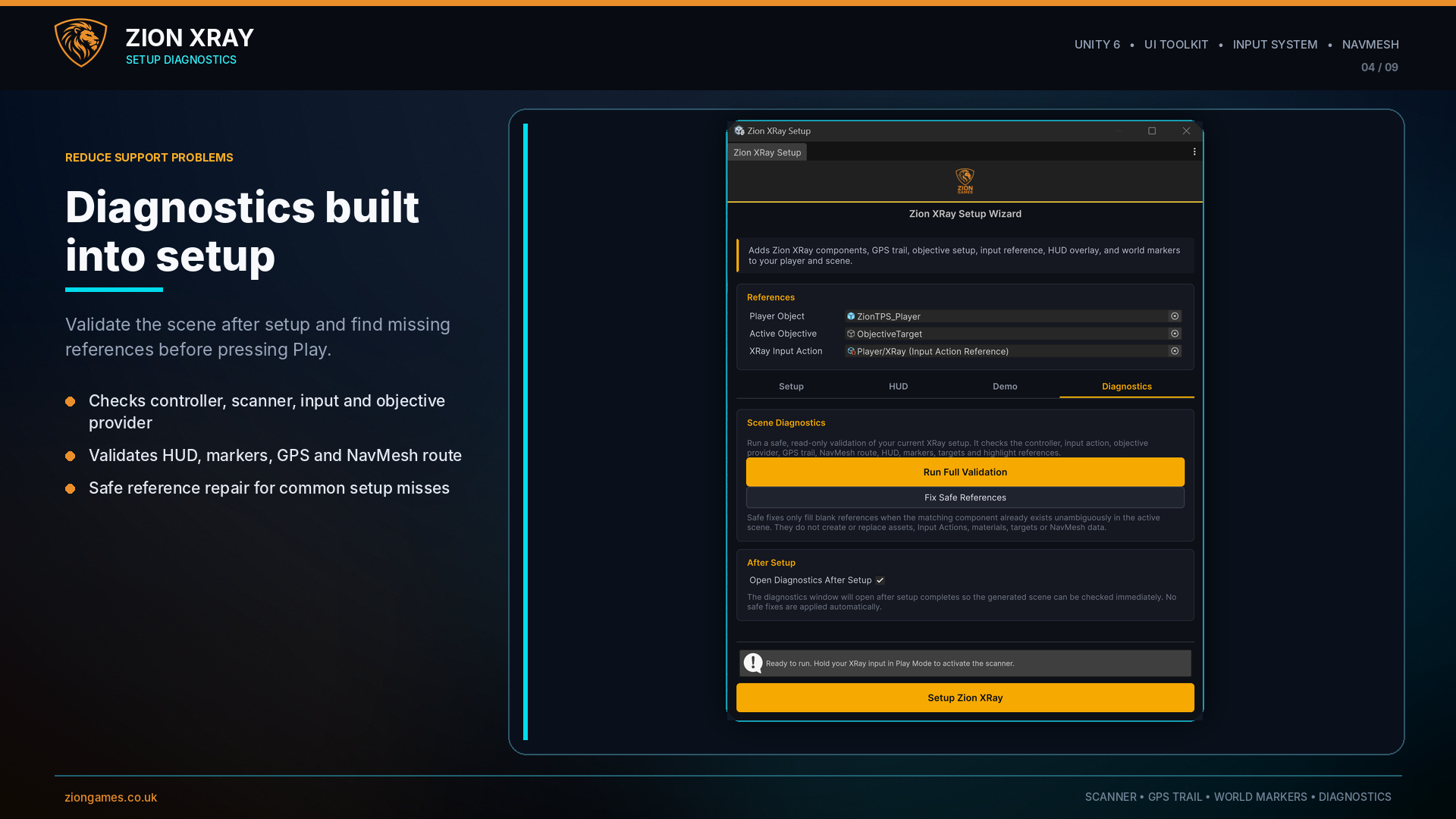
Validate controller, scanner, input, HUD, marker, GPS, objective provider, NavMesh route, target and highlight references before shipping a scene.
What's New in 1.1.1
- Added optional Objective Focus Mode for world markers
- Non-active markers can be dimmed while an objective is being tracked
- Added configurable background marker opacity for Objective Focus Mode
- Verified package compatibility across Unity 6.0, Unity 6.3 and Unity 6.5
What's New in 1.1
- Improved world-marker readability and distance behaviour
- Stronger active objective marker styling
- Screen-edge indicators for off-screen targets
- Target type presets for Objective, Enemy, Pickup, Interactable and Custom/Object targets
- Optional marker icons and target-level display flags
- HUD presentation settings and optional compass heading
- Diagnostics window for scene validation
- Diagnostics tab integrated into the Setup Wizard
- Optional feature-test layout tool for validating XRay systems in a separate test scene
- Updated documentation, screenshots and setup video
Objective System Integration
Zion XRay does not replace or take ownership of your quest system. Your game, quest logic or mission system decides which target is currently active.
Your external system supplies the active target through an objective provider. Zion XRay then reads that target to update the HUD, active marker, through-wall highlight and NavMesh GPS trail.
- Set an objective from your existing quest or mission system
- Switch the active target whenever the player progresses
- Clear the objective when a task is completed or no target is active
- Keep your own gameplay architecture while Zion XRay handles visual guidance
Target Types and Visual Feedback
Create clear visual language for different types of gameplay target. Zion XRay supports target categories, colours, marker presentation settings and optional icons so everything does not look the same.
- Objective: main mission or destination targets
- Enemy: hostile or combat-relevant targets
- Pickup: collectible, loot or resource targets
- Interactable: switches, terminals, doors and usable world objects
- Custom/Object: project-specific target types and colours
Setup Wizard and Diagnostics
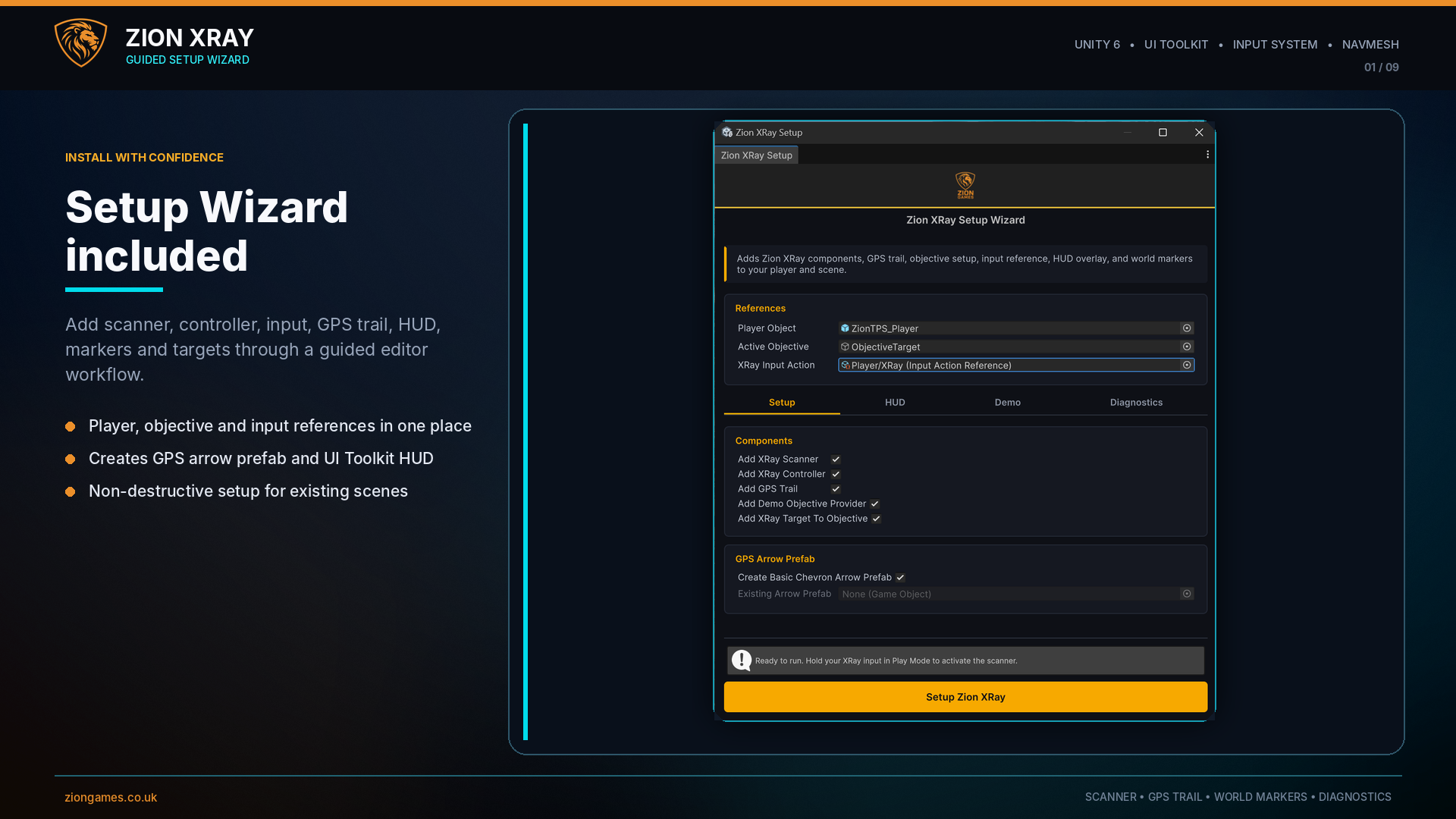
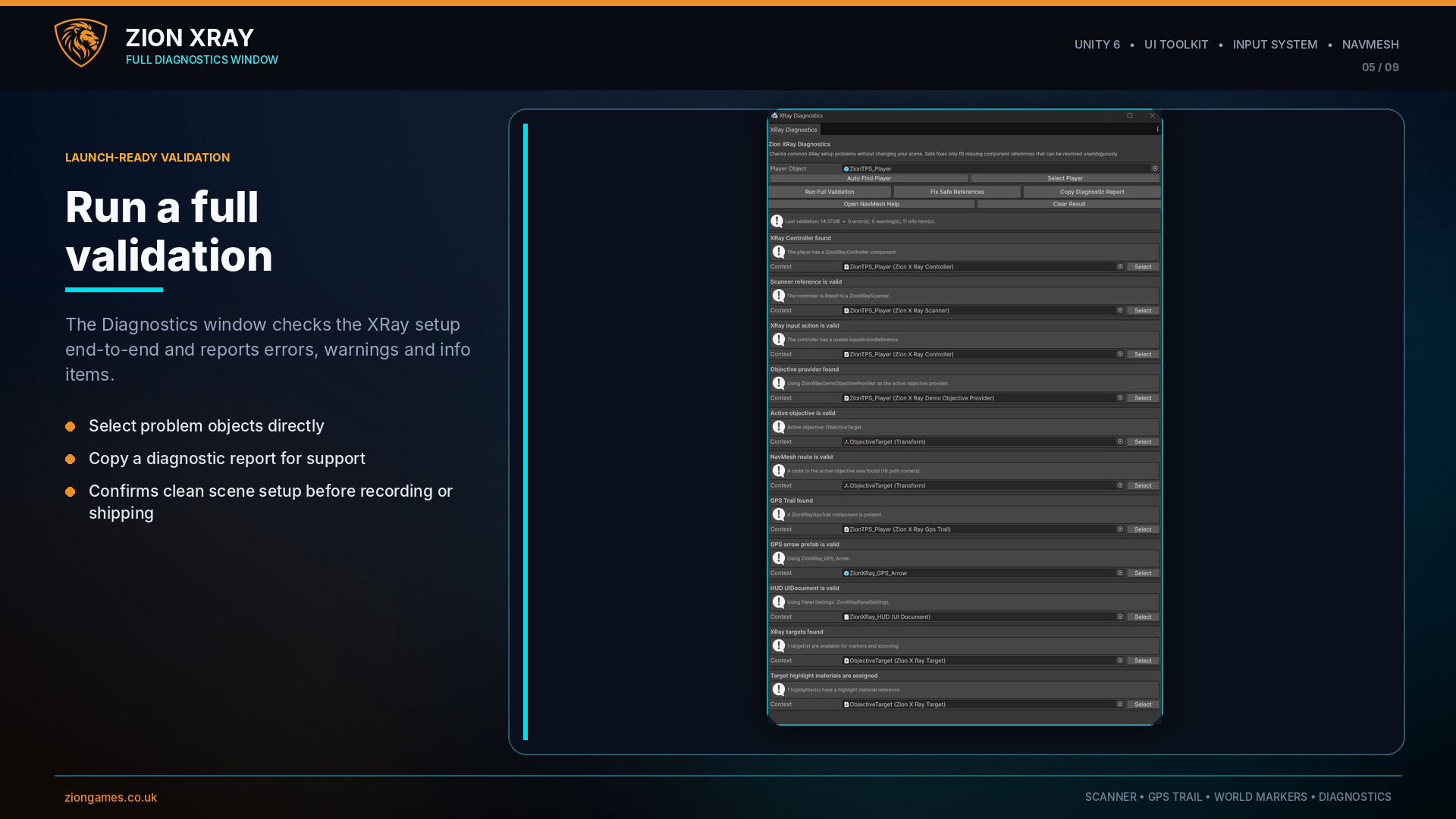
The Zion XRay Setup Wizard helps configure the scanner, input reference, objective provider, GPS trail, HUD, world markers and optional demo content in a guided editor workflow.
- Setup tab for player, active objective and input references
- HUD tab for scanner overlay and objective display options
- Demo tab for generating example targets and testing objective switching
- Diagnostics tab for validation and safe reference repair
- Standalone Diagnostics window for full scene checks and support reports
Ideal For
- RPG and action-adventure objective guidance
- Scanner, detective vision and investigation gameplay
- Mission and quest target visualisation
- Exploration games with discoverable points of interest
- Survival games with resource, extraction or destination markers
- Games that need clearer navigation without a permanent minimap
Frequently Asked Questions
Does Zion XRay include a quest system?
No. Zion XRay does not own your quests, missions or progression logic. Your game decides which target is active, and Zion XRay visualises that target through highlighting, HUD feedback, world markers and GPS trails.
Does Zion XRay include a player controller?
No. Zion XRay is controller-agnostic. It can work with your own controller, ZionTPS, Unity Starter Assets or other controller systems because it only needs a player transform and scanner input.
Does the GPS trail use a straight line to the target?
No. The GPS trail is NavMesh-based, so the floor chevrons can follow a navigable route towards the current objective rather than pointing directly through walls.
Can objectives be visible through walls?
Yes. Zion XRay includes a stable filled silhouette highlight for the active objective while scanner mode is active.
What input system does it use?
Zion XRay uses Unity's Input System. The scanner input is assigned through an InputActionReference in the setup workflow.
Does the GPS trail need a NavMesh?
Yes. GPS floor arrows require a baked NavMesh, and the player and active objective both need to be near reachable NavMesh positions.
Give players a clearer path forward
Add scanner mode, world markers, objective highlighting, setup diagnostics and NavMesh GPS guidance to your Unity 6 project.