
Zion Asset Auditor
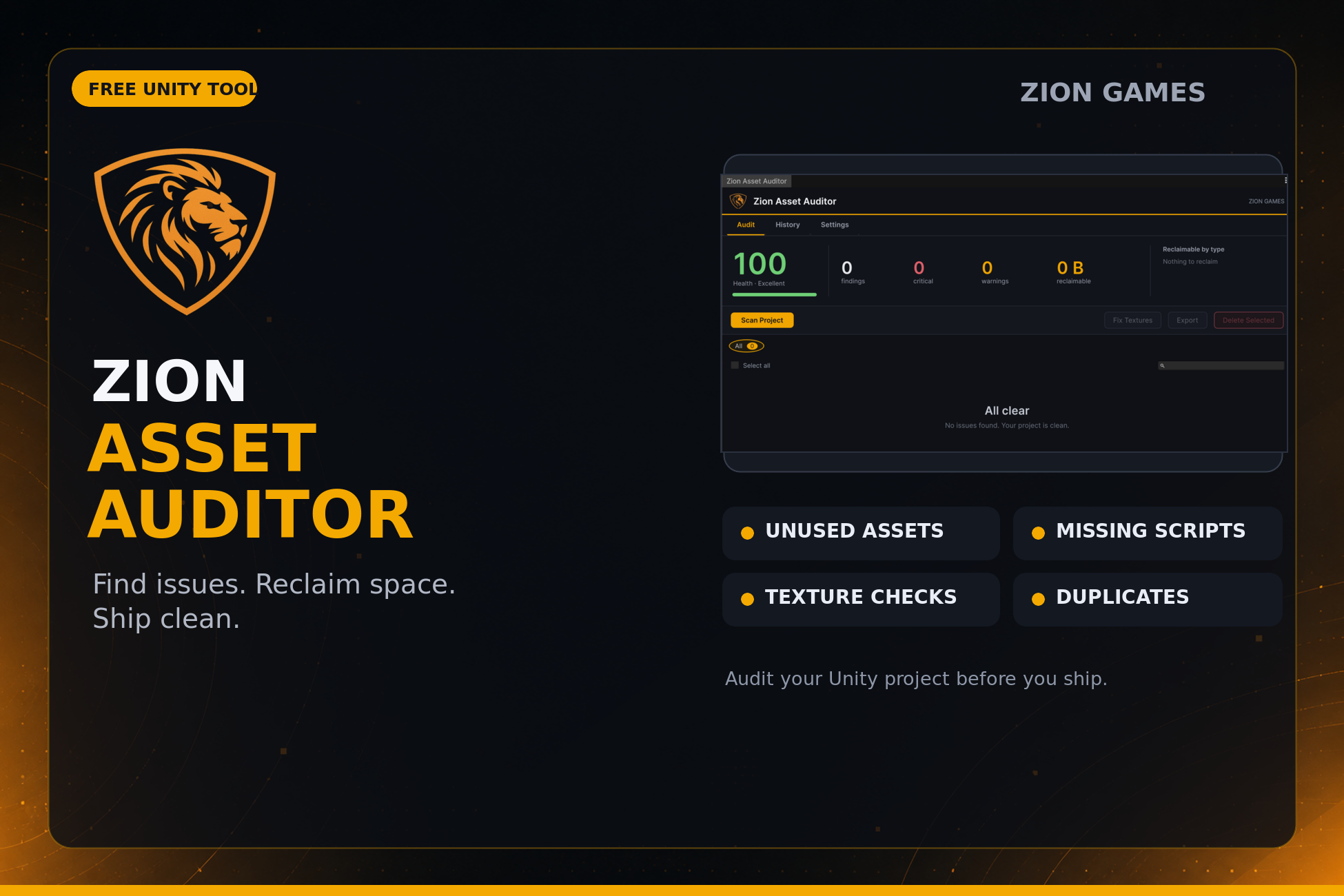
Find. Fix. Ship clean.
Overview
Zion Asset Auditor scans your whole Unity project in one pass and shows you exactly what is wrong - unused assets, duplicates, oversized textures, missing meta files and broken references - then fixes what is safe to fix in a single click. It is an editor-only tool with no runtime footprint, so it never ships in your build. And it is free.
Everything runs from one window
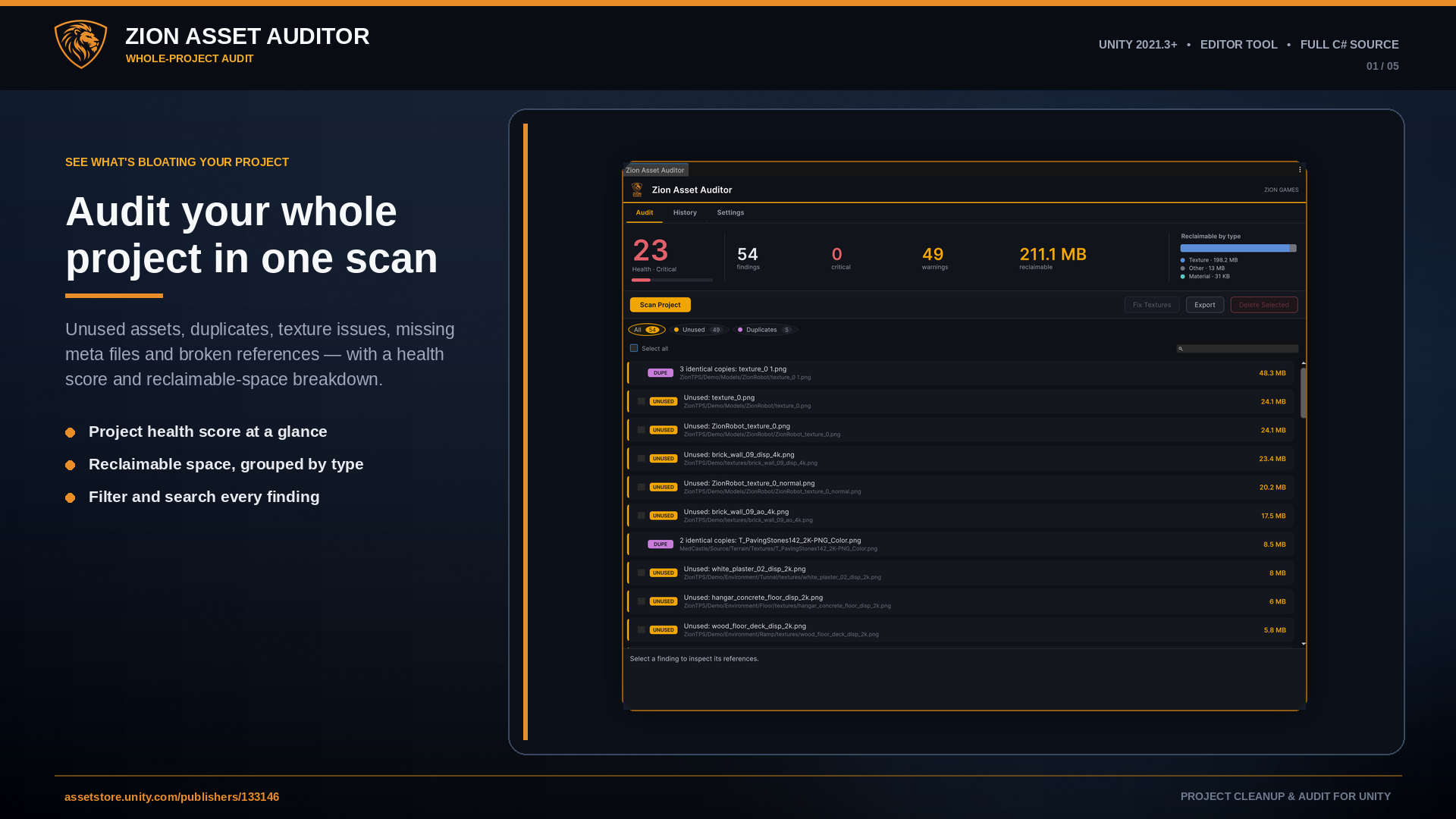
The Audit tab opens with a project health score, headline counts, and a reclaimable-space breakdown by asset type, so you can see at a glance where the bloat is. Findings are grouped by category with live counts, searchable, and colour-coded by severity. Select what you want to act on, or dismiss what you have already reviewed - the whole workflow is built so you never delete something you can't recover.
Features
- Five audits in one scan - unused assets, duplicate assets, texture issues, missing .meta files and broken references
- Project health score (0-100) with a reclaimable-by-type breakdown
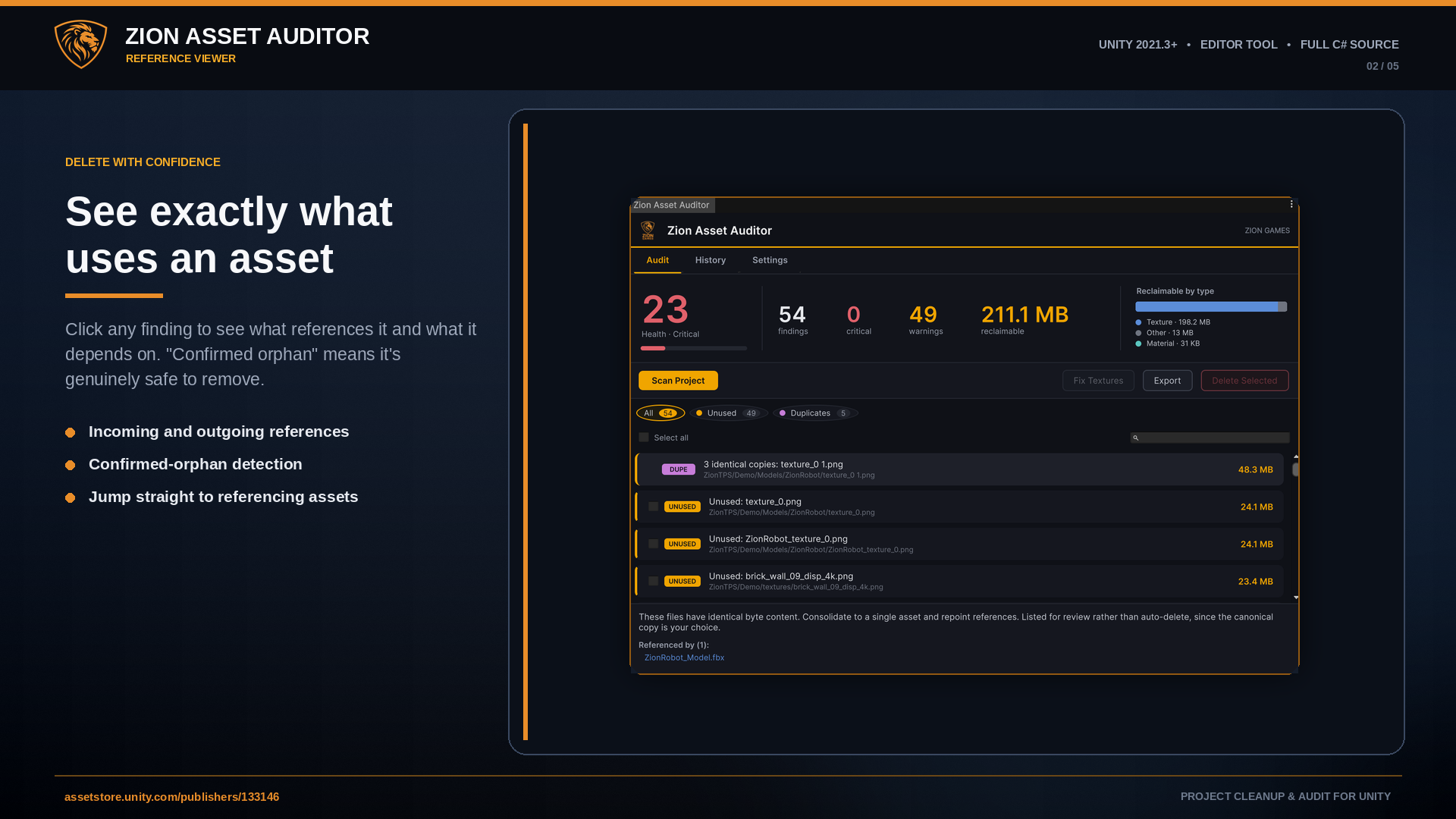
- Reference viewer - click any finding to see what references it and what it depends on, with confirmed-orphan detection before you delete
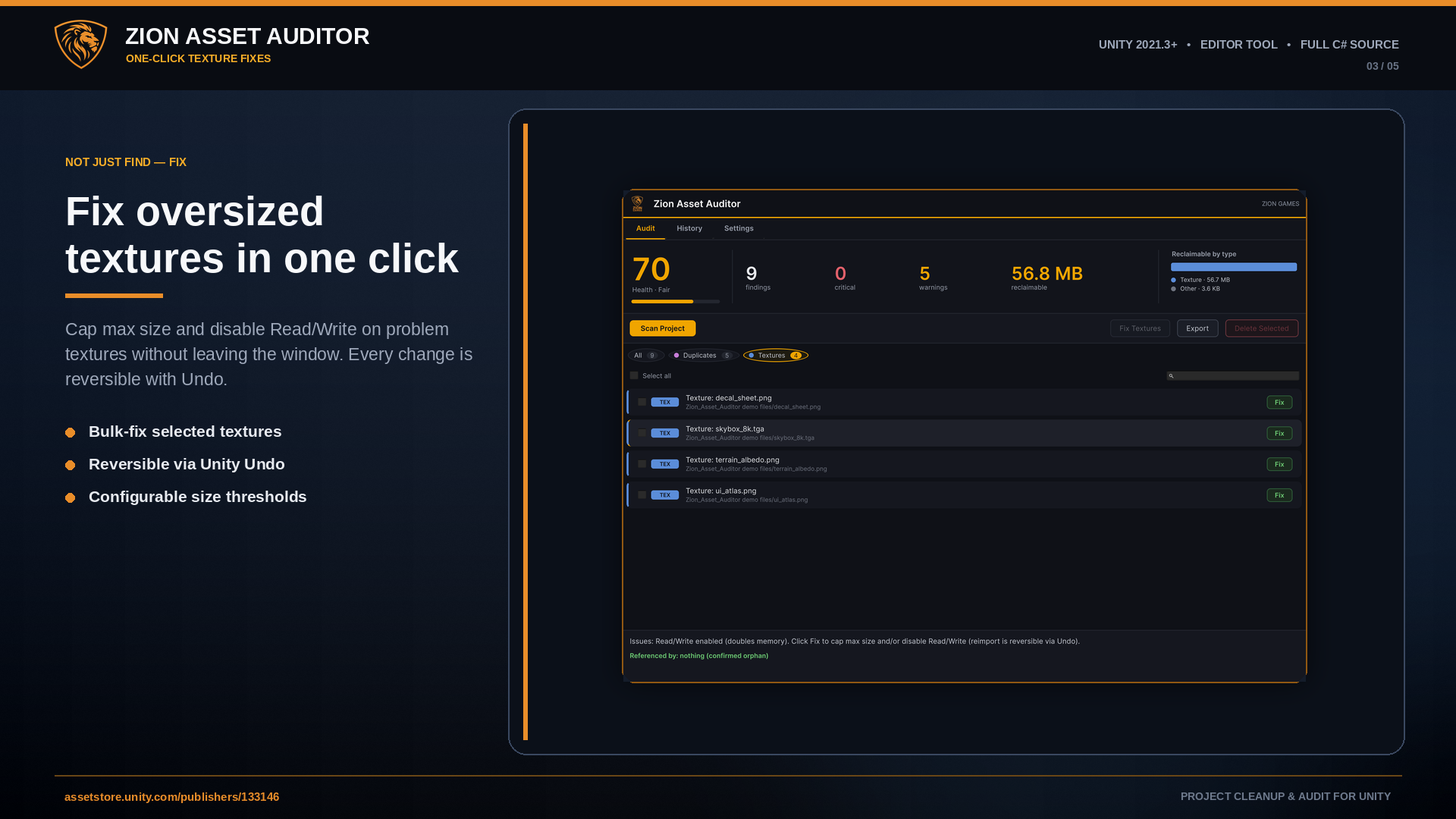
- One-click texture fixes - cap max size and disable Read/Write in place, fully reversible with Undo
- Recoverable delete - assets move to the OS trash behind a confirmation, never a hard delete
- Category filter pills, per-finding search, and bulk select-all in view
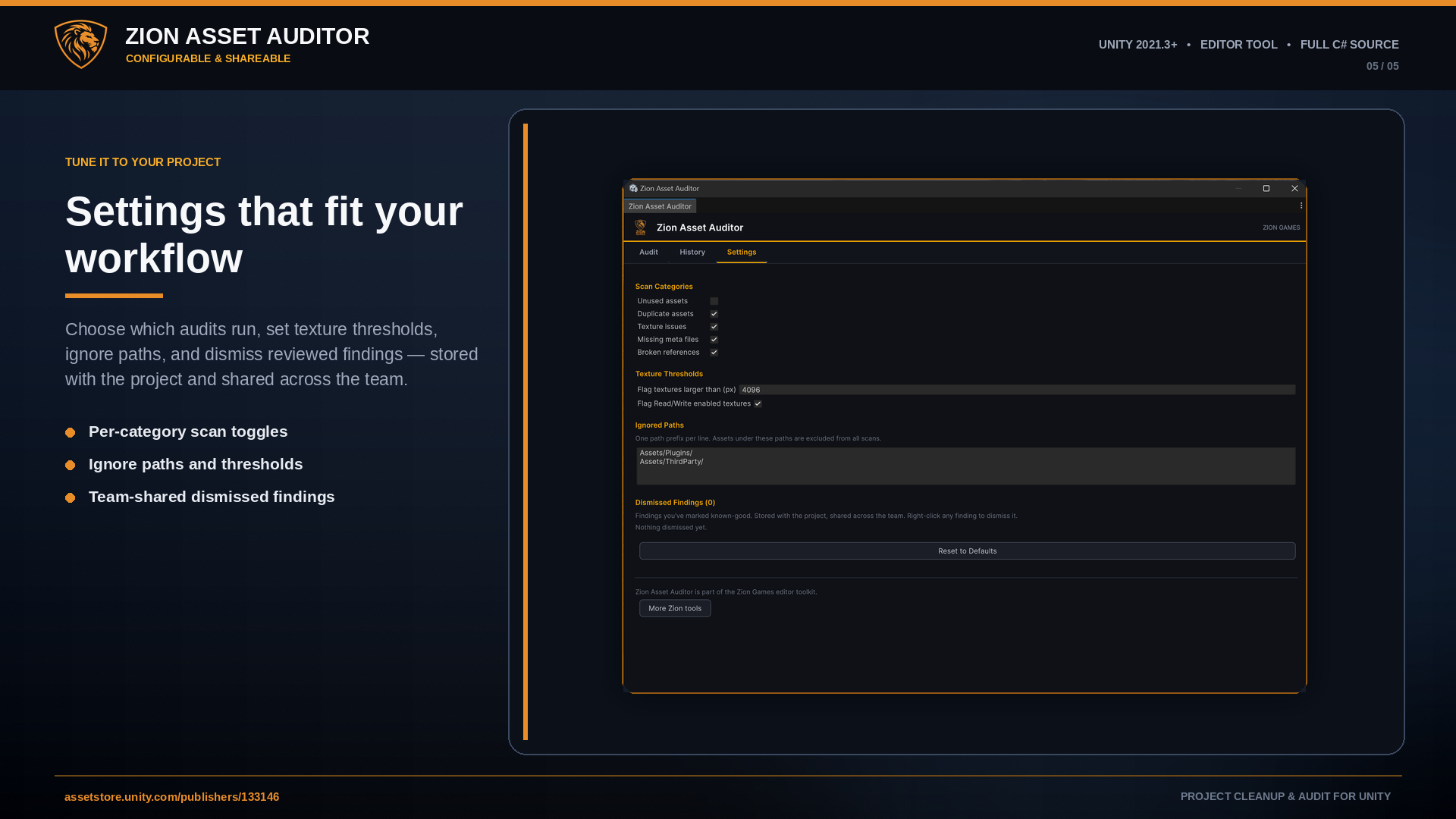
- Dismiss findings you've reviewed - the whitelist is stored with the project (keyed by GUID) and shared across the team
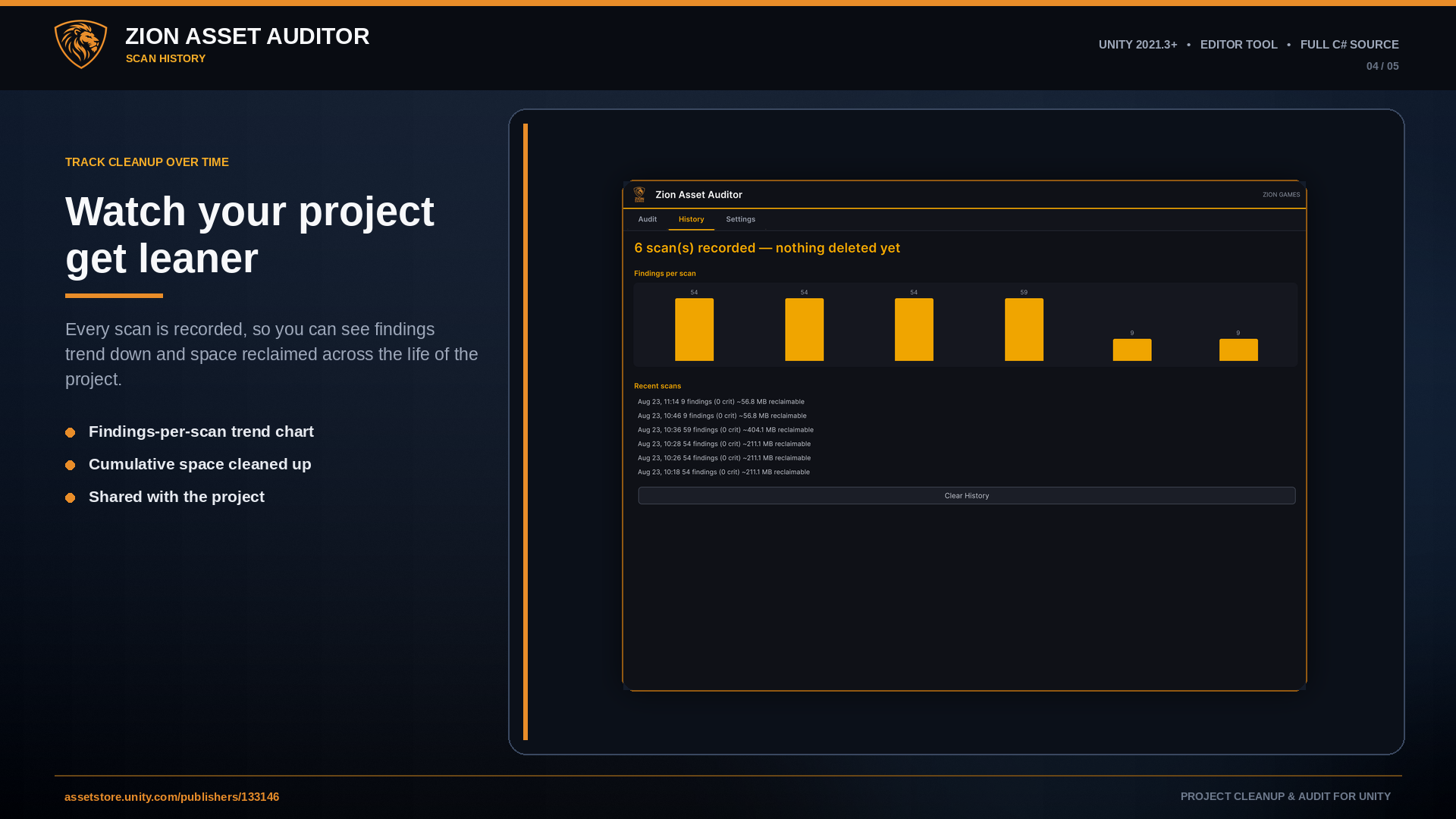
- Scan history with a findings-over-time trend chart and cumulative space cleaned up
- CSV and Markdown report export
- Headless CI mode - run the full audit from your build pipeline and fail the build when critical issues appear
- Asynchronous scanning that builds the project index incrementally without freezing the editor
Honest Limits
Static analysis can't see everything, and the tool is explicit about it rather than pretending otherwise:
- The "unused" audit sees serialized references and build-root reachability; assets loaded dynamically by string (Resources.Load by name, Addressables by key) can't be proven used by any static scan, so ScriptableObject-type assets are reported for review rather than one-click deletion
- Texture findings are based on import settings and dimensions - a texture correctly capped on import is not flagged, because it isn't wasting memory
- Always use version control before bulk operations - deletion is recoverable, but a backup is always the right habit
Ideal For
- Trimming large or long-running Unity projects with confidence
- Auditing a project before an Asset Store submission or handoff
- Finding oversized textures and duplicate art that inflate build size
- Confirming exactly what references an asset before removing it
- Gating a build pipeline on project cleanliness via CI
Technical Details
- Five independent audit modules run from one asynchronous scan; the project index builds incrementally and is cancellable, so the editor stays responsive on large projects
- Health score weighted by severity, with a reclaimable-space breakdown grouped by asset type
- Reference viewer resolves incoming and outgoing references on demand, reusing the scan's dependency map; confirmed-orphan detection for safe removal
- Duplicate detection by content hash (SHA-256)
- Texture audit flags oversized, non-power-of-two and Read/Write-enabled imports; one-click fixes cap max size and disable Read/Write, registered with Unity Undo
- Safe delete via move-to-trash behind a confirmation dialog - recoverable, never a hard delete
- Project-scoped, team-shared whitelist keyed by asset GUID, so dismissals survive asset moves
- Scan history stored per project with a findings-over-time trend
- Headless CI entry point (-executeMethod) writes a CSV or Markdown report and sets a build-failing exit code by threshold
- Configurable texture thresholds, scan categories and ignore paths, persisted between sessions
- Editor-only - zero runtime cost, no build size impact
- Compatible with Built-in, URP and HDRP - it audits assets, not rendering
Requirements
- Unity 2021.3 LTS or newer
- Editor-only - adds nothing to your build or runtime
Frequently Asked Questions
Is it really free?
Yes - the full tool, including the reference viewer, texture fixes, scan history and headless CI mode, with full C# source. It is part of the Zion Games editor toolkit.
Is it safe to delete a flagged unused asset?
Open the finding and check the reference viewer first - "Referenced by: nothing (confirmed orphan)" means it is genuinely unreferenced. Deletion moves the asset and its .meta to the OS trash behind a confirmation, so it is always recoverable. Assets your scripts may load by string are reported for review rather than offered for one-click deletion.
Will the texture fix ruin my textures?
Only safe corrections are auto-applied - capping max size and disabling Read/Write. Non-power-of-two textures are reported but never auto-resized, since that can distort UI and atlases. Every fix goes through Unity's Undo, so it is reversible.
Will it freeze the editor on a huge project?
No. The project index builds incrementally in the background and can be cancelled at any time, and the scan spreads its work across frames instead of blocking the main thread.
Can I run it in CI?
Yes. A headless entry point runs the full audit from the command line via -executeMethod, writes a CSV or Markdown report, and sets an exit code so your pipeline can fail the build when critical issues appear. The whitelist is respected in CI.
Does it ship with my game?
No. It is entirely editor-only and compiles into an editor assembly, so it adds nothing to your build size and cannot be included in a player build.
Audit your project. Free.
Whole-project cleanup with a health score, a reference viewer, one-click texture fixes, and a CI mode - with full C# source. Available now.