
Trace
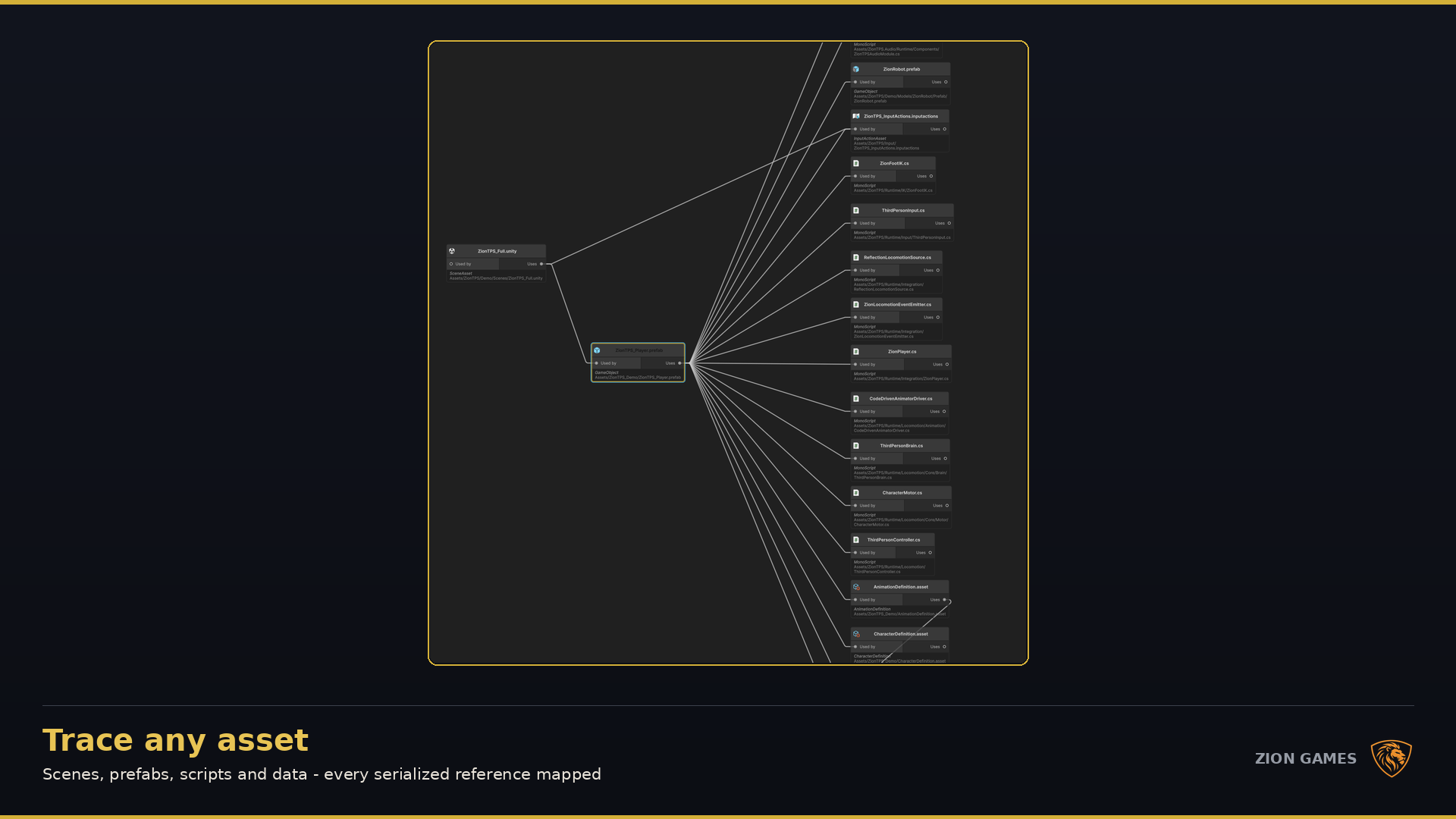
Open any asset in the graph
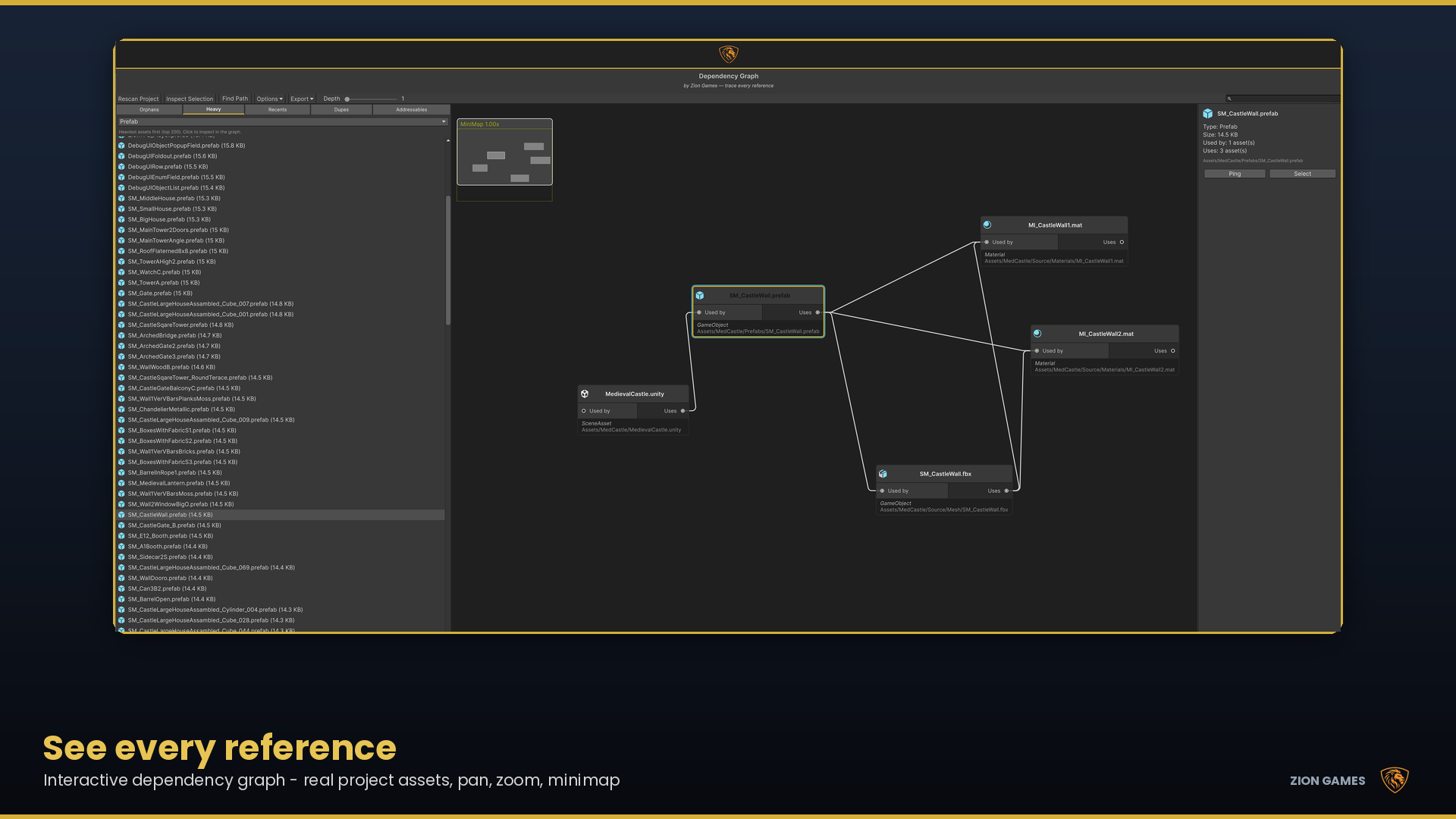
Pan, zoom and follow inbound and outbound edges until the reference chain is obvious.
Unity 6 Editor tool · v1.3 · Addressables audit
An interactive dependency graph that reads your assets, your scripts and your Addressables bundles — so the thing you are about to delete is the thing you meant to delete.

Built for the moment before you delete
Nothing in Unity's AssetDatabase records that a script calls
Resources.Load("Prefabs/Enemy"). Zion Dependency Graph reads your
assets and your scripts and your Addressables bundles, then shows
you the evidence — as a graph you can pan, zoom and click through.
Trace
Pan, zoom and follow inbound and outbound edges until the reference chain is obvious.
Prove
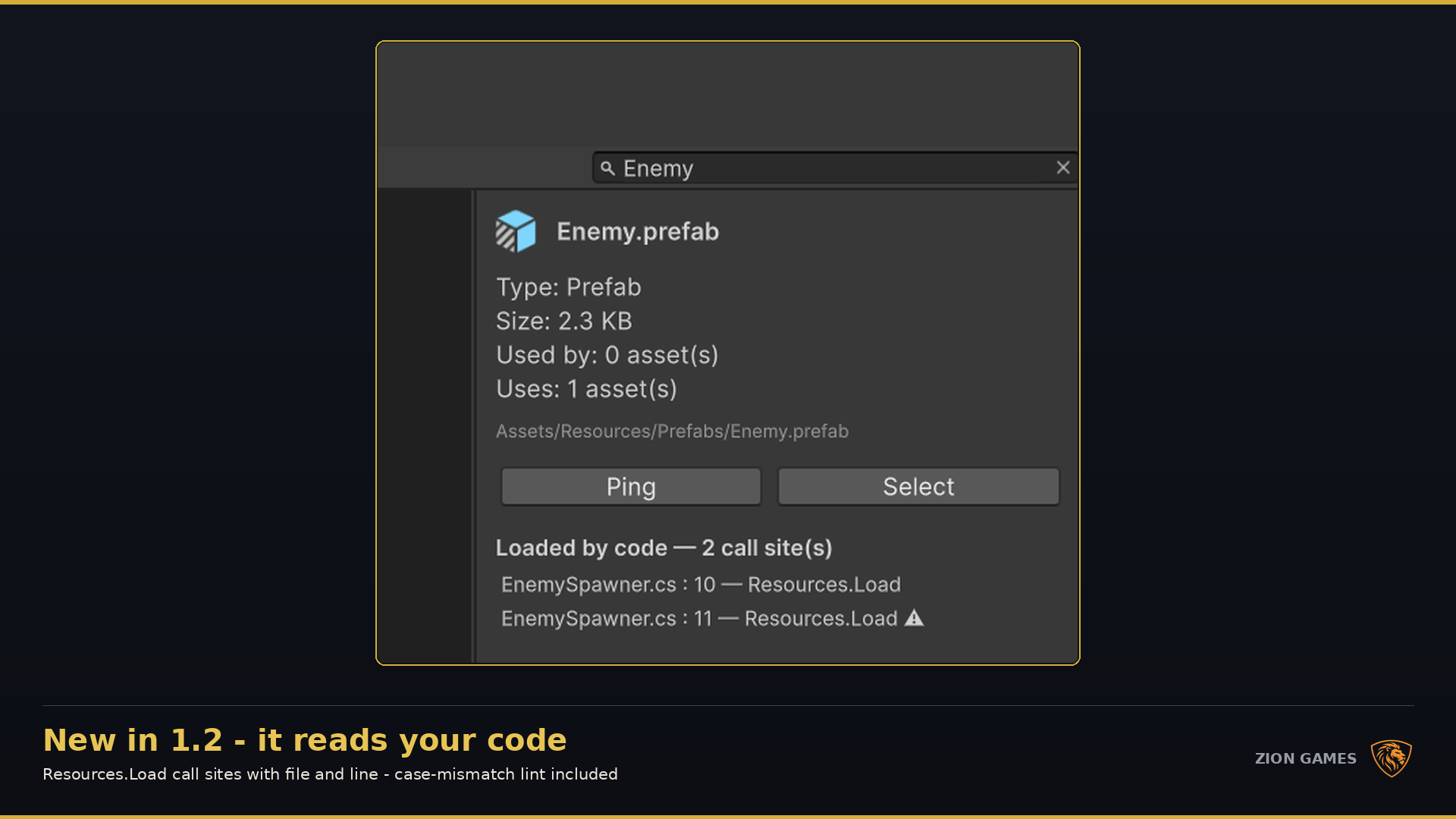
String loads, Shader.Find calls and Addressables keys resolved to real assets, with file and line.
Remove
Every asset and its .meta is copied and verified on disk before anything leaves the project.
Release notes
Headline feature
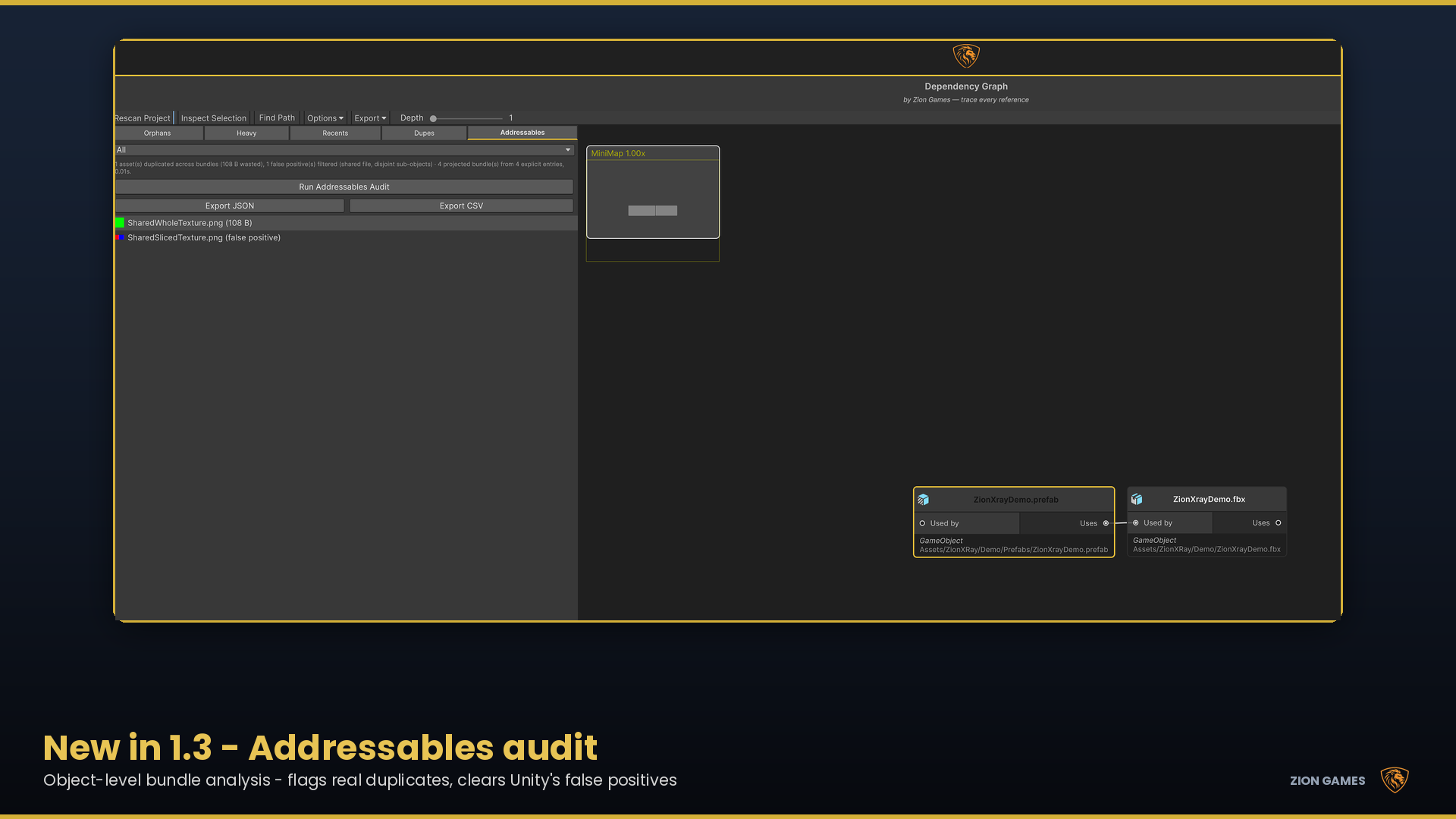
Object-level bundle analysis that flags the assets genuinely duplicated across your bundles — and quietly clears the false positives Unity's own reporting leaves behind.
Real Unity editor workflow
Every image below is the tool running on a real project — not a concept interface.
Use the arrow keys, controls or thumbnails to explore all eight stages.
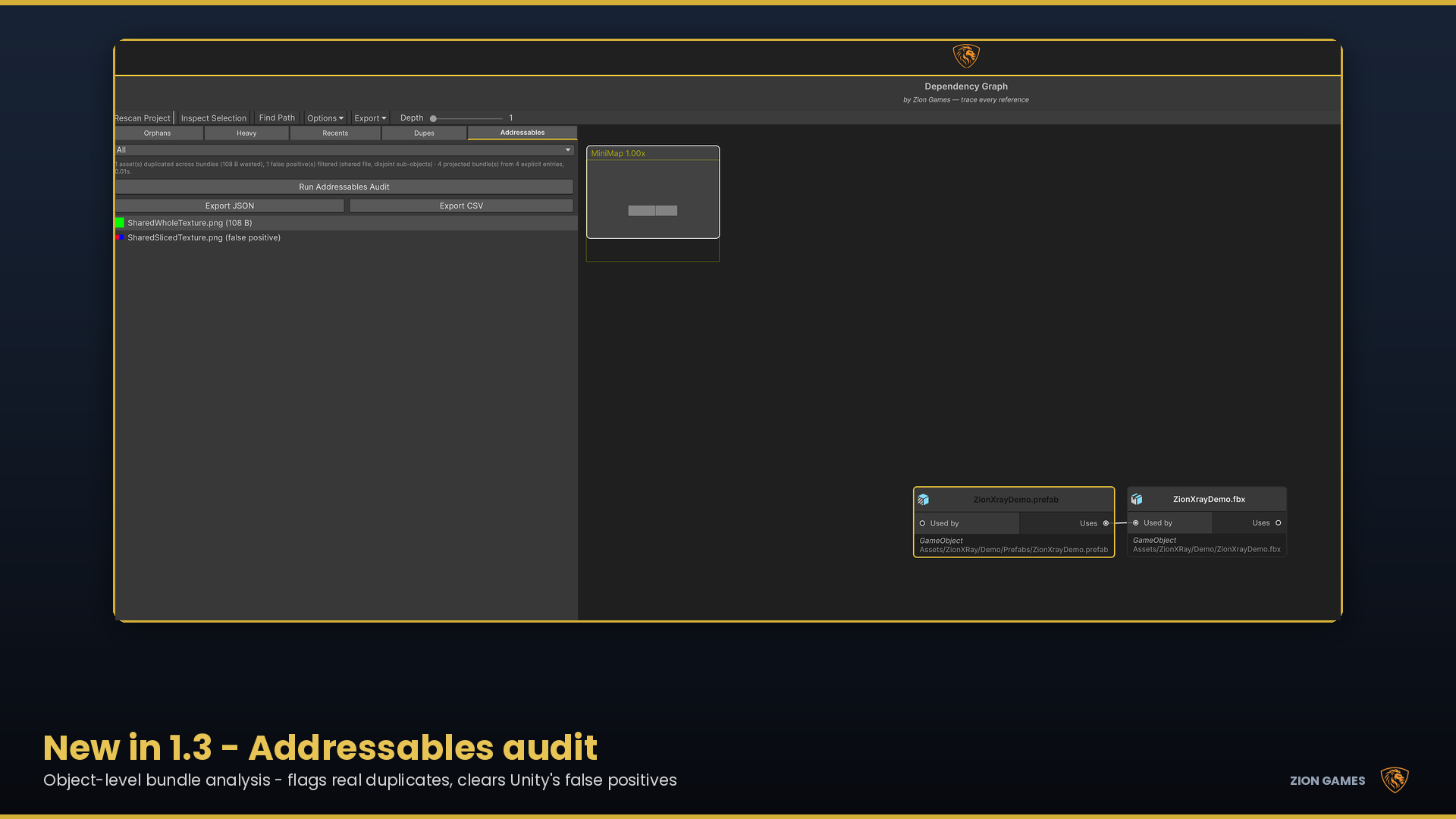 Object-level bundle analysis · new in v1.3
Addressables, audited properly
Duplicate-in-bundle warnings are only useful if you can trust them. The audit projects your bundle layout from your explicit entries, compares the objects each bundle actually pulls in, and reports the wasted bytes per asset — separating genuine duplication from files that merely look shared.
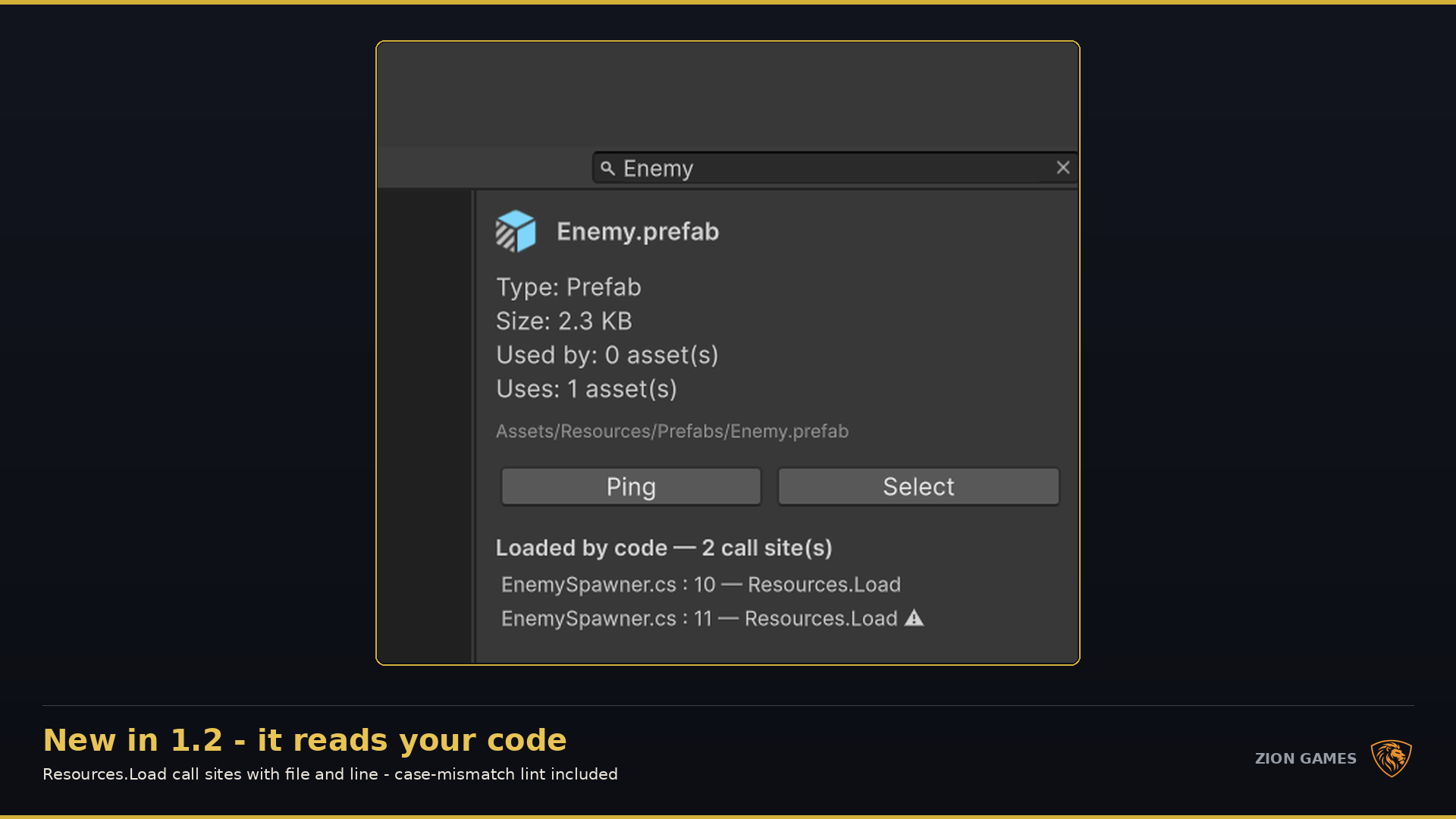 Resolved to the asset · click through to the line
The blind spot, closed
Every .cs file under Assets is scanned for string-based loads. Comments
are stripped first and only plain literals are trusted, so a call mentioned in a log
message never becomes a false match.
Resources.Load, LoadAsync and LoadAll resolved to real assetsShader.Find calls and Addressables addresses and labels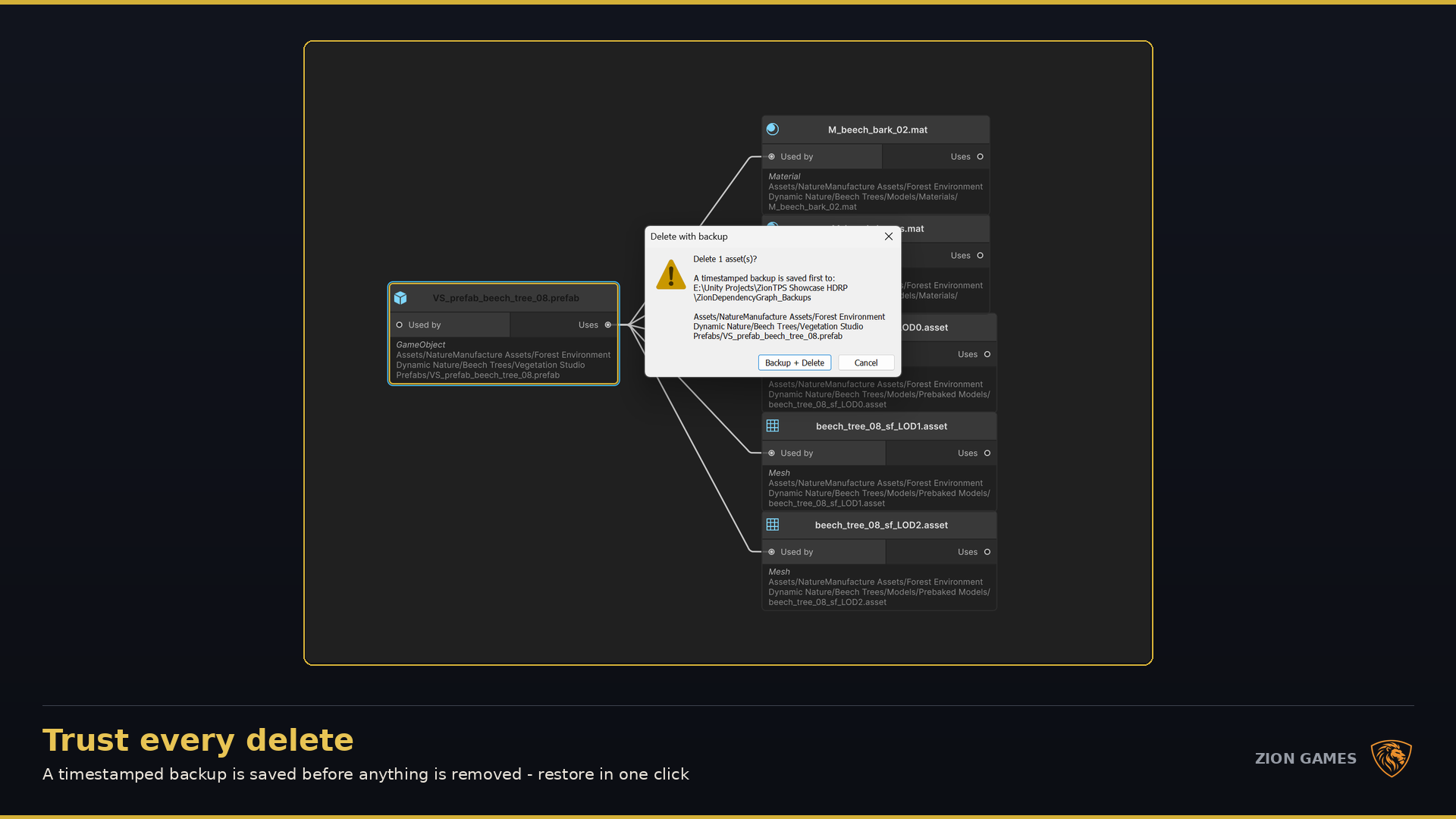 Warned, backed up, verified — then deleted
Safe by design
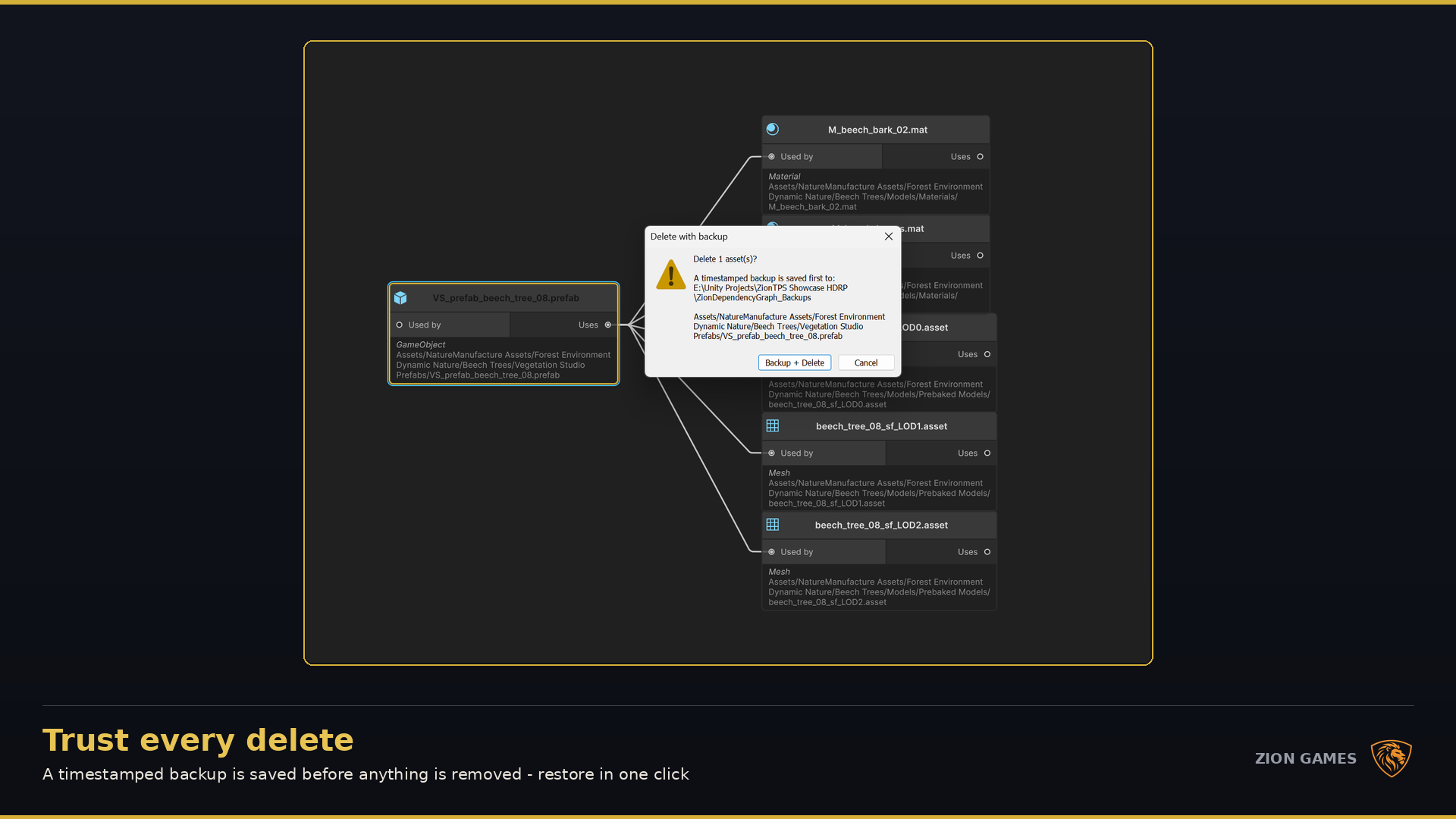
Orphan detection is deliberately conservative, and the confirmation dialog is where the tool argues with you: it names the script and line when code loads the asset, and warns when other assets still reference it.
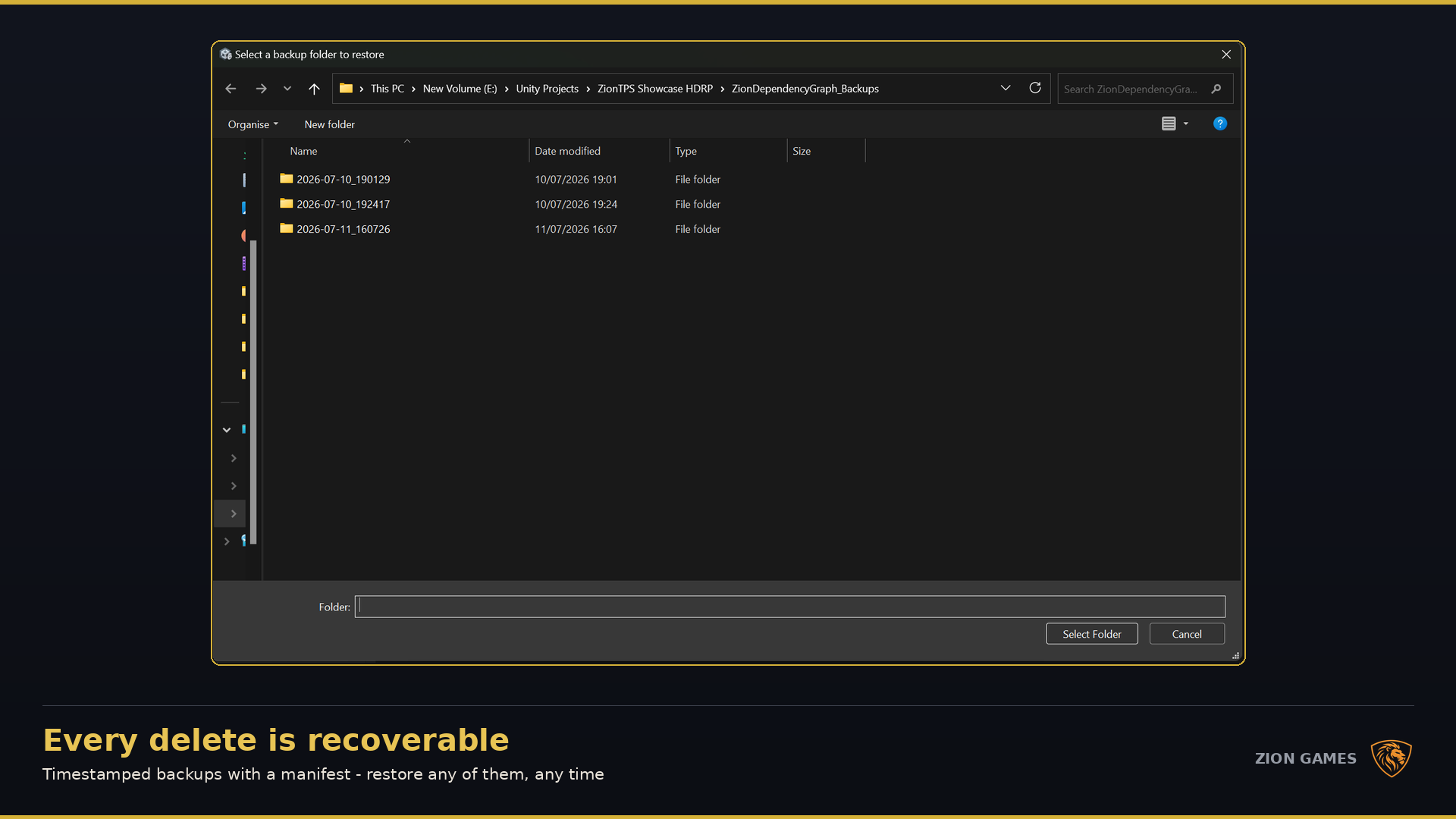
ZionDependencyGraph_Backups/
Timestamped copies of every asset and its .meta
Verified on disk
The copy is checked before deletion is allowed to proceed
Five tabs, one project index
Start in the graph, then move to whichever tab answers the question in front of you — all backed by the same incrementally built index.
Unity GraphView with pan, zoom, minimap and a layered layout, auto-capped to stay responsive on 15,000+ asset projects.
Bidirectional search between any two assets: the shortest chain first, plus alternative routes, every step clickable.
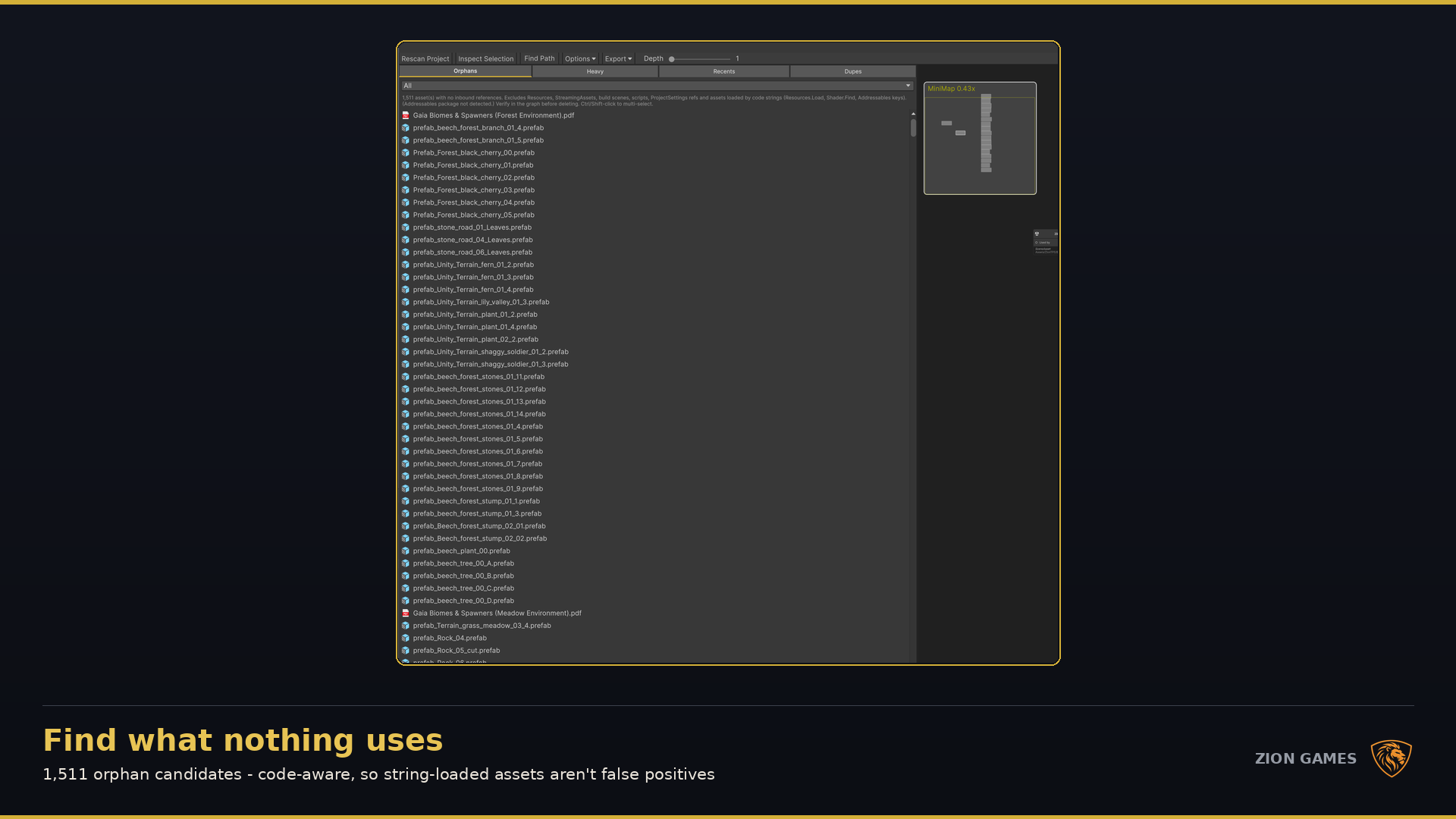
Assets with no inbound references, with every known exclusion applied before anything reaches the list.
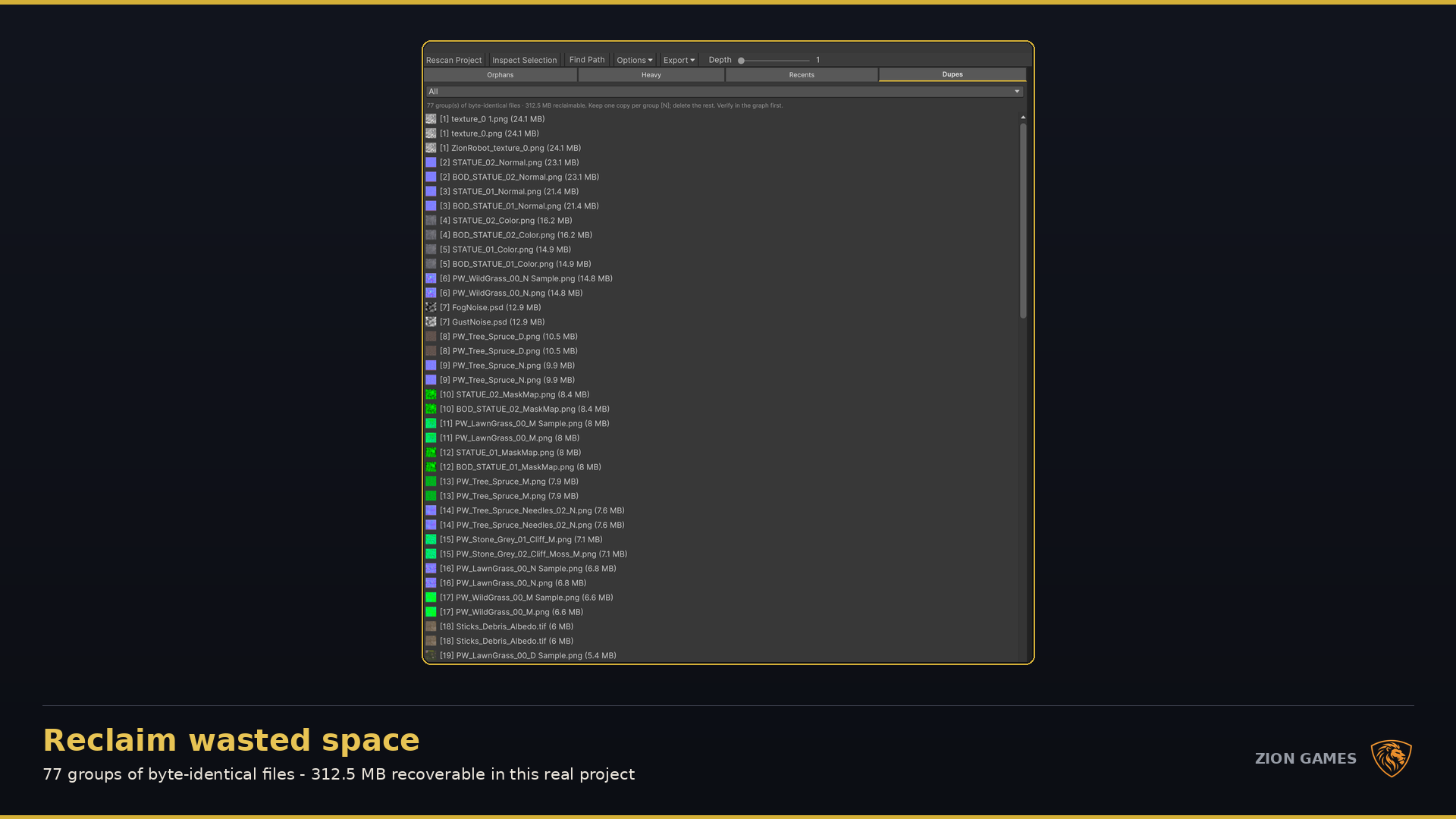
SHA-256 verified and size-bucketed for speed, opt-in per session so hashing never runs on startup or entering Play mode.
The top 200 by size on disk, for finding oversized textures and models before they reach a build.
Graphviz DOT export for publication-quality rendering, plus Markdown, CSV and JSON reports for review and CI.
Compatibility & scope
Technical requirements
What static analysis cannot see
Frequently asked questions
Not sure whether it fits your project setup?
Talk directly to the developerNo. It surfaces dependencies, orphans, duplicates and bundle duplication for you to review. You decide what to remove, and every deletion is backed up and verified first.
It projects your bundle layout from your explicit Addressables entries, then compares the objects each projected bundle pulls in. Assets genuinely present in more than one bundle are reported with the wasted bytes; candidates that only share a file — with disjoint sub-objects — are cleared and labelled as false positives so you can see what was ruled out. The full result exports to JSON or CSV.
No. Addressables support is detected by reflection, so there is no hard package dependency. With the package installed you get the audit tab and automatic exclusion of Addressables entries from orphan detection; without it, everything else works unchanged.
Every .cs file under Assets/ is scanned for string-based load calls — Resources.Load and its variants, Shader.Find, and Addressables keys. Comments are stripped first and only plain string literals are trusted, so a call mentioned in a comment or a log message never produces a false match. Each resolved call is listed with its script and line, and clicking it opens your IDE at that exact line.
Orphan detection is deliberately conservative and cross-checks code string references, so assets your scripts load are never flagged. You can open any asset in the graph to confirm its inbound references are empty first. Every safe delete copies the asset and its .meta to a timestamped backup folder and verifies the copy on disk before anything is removed.
No. The project index builds incrementally in the background and is cancellable at any time, graph rendering is auto-capped to stay responsive on projects with 15,000+ assets, and duplicate hashing runs only when you ask for it.
Serialized references and literal string loads, yes. Loads built from variables or string interpolation only exist at runtime, so no static tool can resolve them — but those call sites are detected and listed anyway, so you can see exactly where the blind spots are instead of trusting there are none.
Available now — v1.3.0
Interactive graph, code-aware orphan cleanup, object-level Addressables auditing and verified backups — in one editor window.