
Zion Save Inspector
Browse, search, edit, diff and validate Unity save data directly in the editor.

Overview
Zion Save Inspector is an editor-only Unity tool for browsing, editing and diagnosing game save data without writing temporary debugging code or repeatedly opening raw files outside Unity.
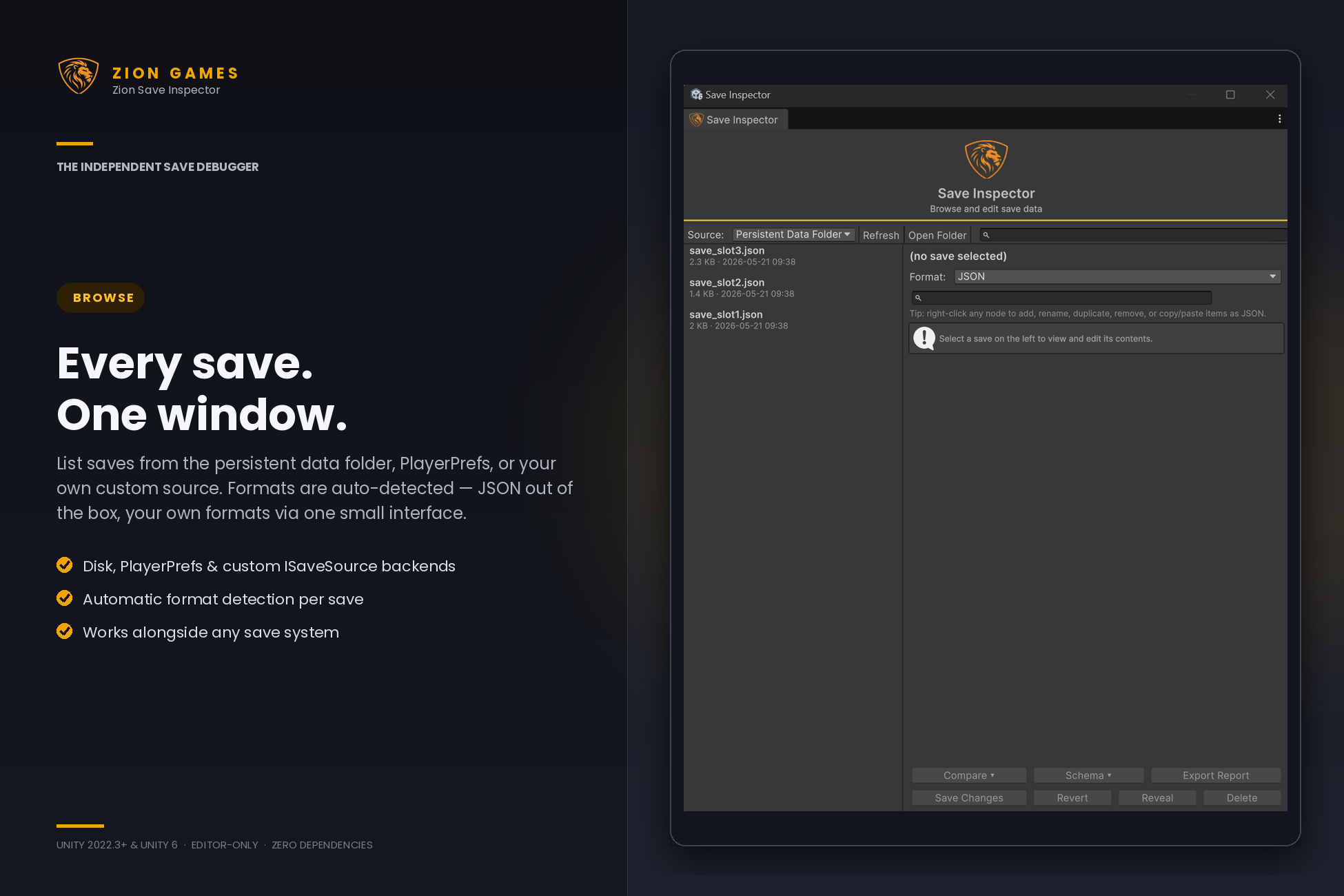
Select a save source, choose an entry, and inspect its contents through an editable, searchable tree view. The inspector shows useful metadata such as file size, last-modified time, identifier and detected format, then lets you safely update values, add fields, edit arrays, revert changes or delete entries. When something looks wrong, diff the save against its automatic backup, validate it against a captured schema, or export a support-ready diagnostic report.
The tool separates where saves are stored from how their data is interpreted. This means one workflow can support persistent files, PlayerPrefs, ScriptableObject snapshots, cloud saves, test fixtures, custom binary data and more.
New in 1.1 - the diagnostics release
Version 1.1 turns the inspector from a save editor into a save debugger. It answers the harder question: why is this save broken?
Save Diff
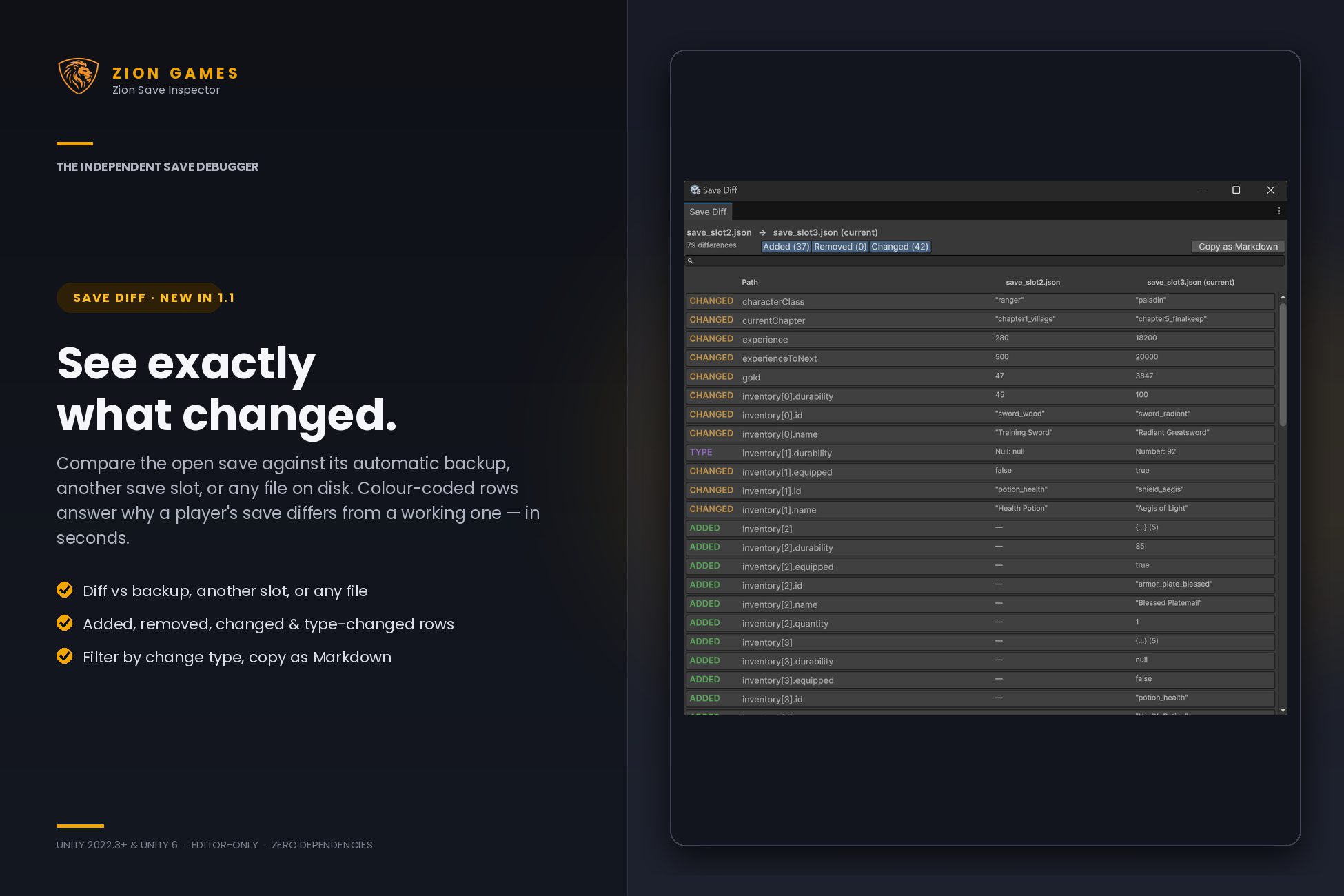
Compare the open save against its automatic backup, another save slot, or any file on disk. Colour-coded added, removed, changed and type-changed rows show before and after values side by side, with filter toggles and one-click copy as Markdown.
Schema validation
Capture the shape of a known-good save once, then validate any save against it in one click. Missing fields, type mismatches and unexpected extras surface immediately - the fastest way to triage a corrupted-save bug report.
Tree search
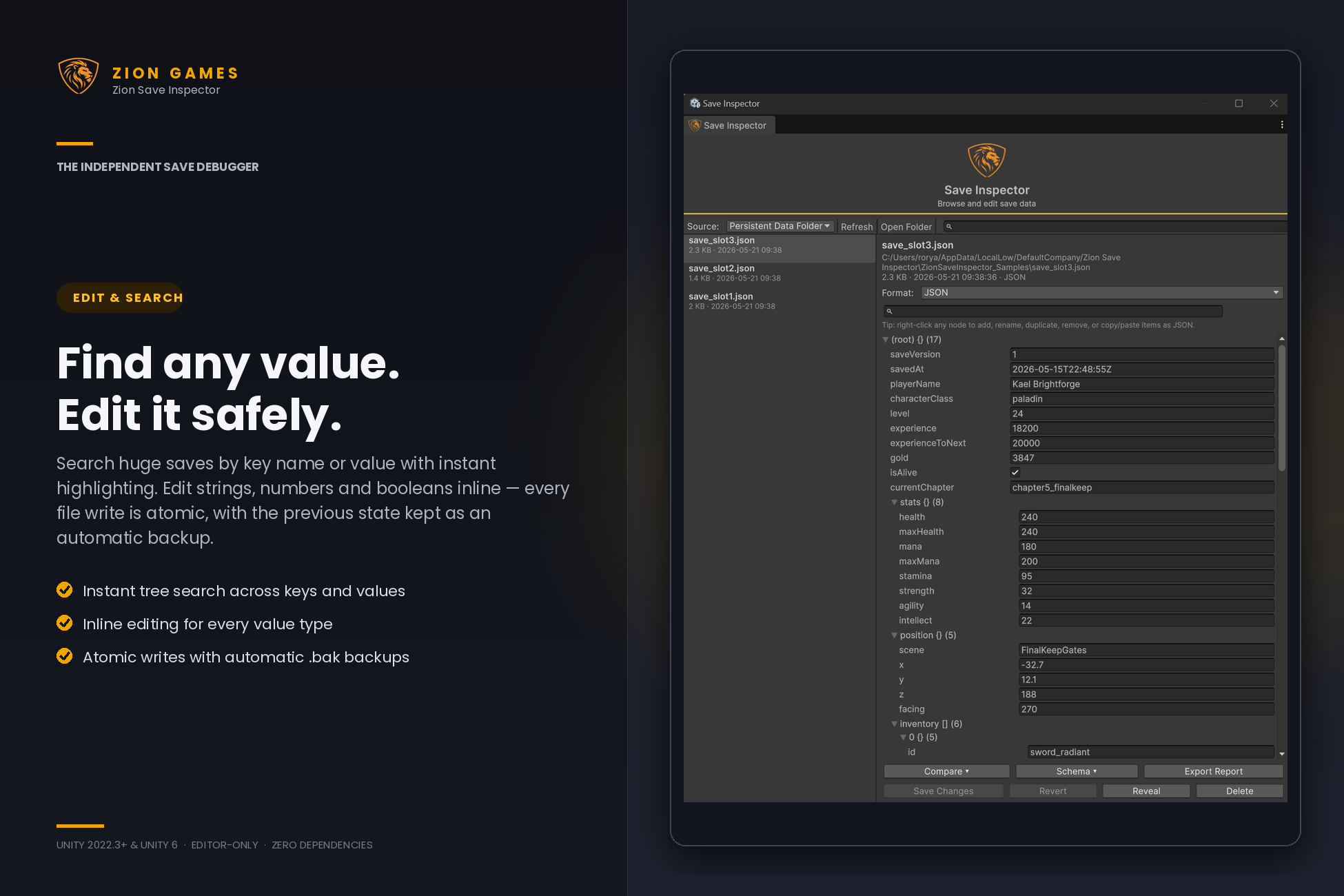
Filter huge saves by key name or value. Matches are highlighted, their branches auto-expand, and everything else is hidden - no more scrolling a two-thousand-node tree to find one field.
Copy, paste & report
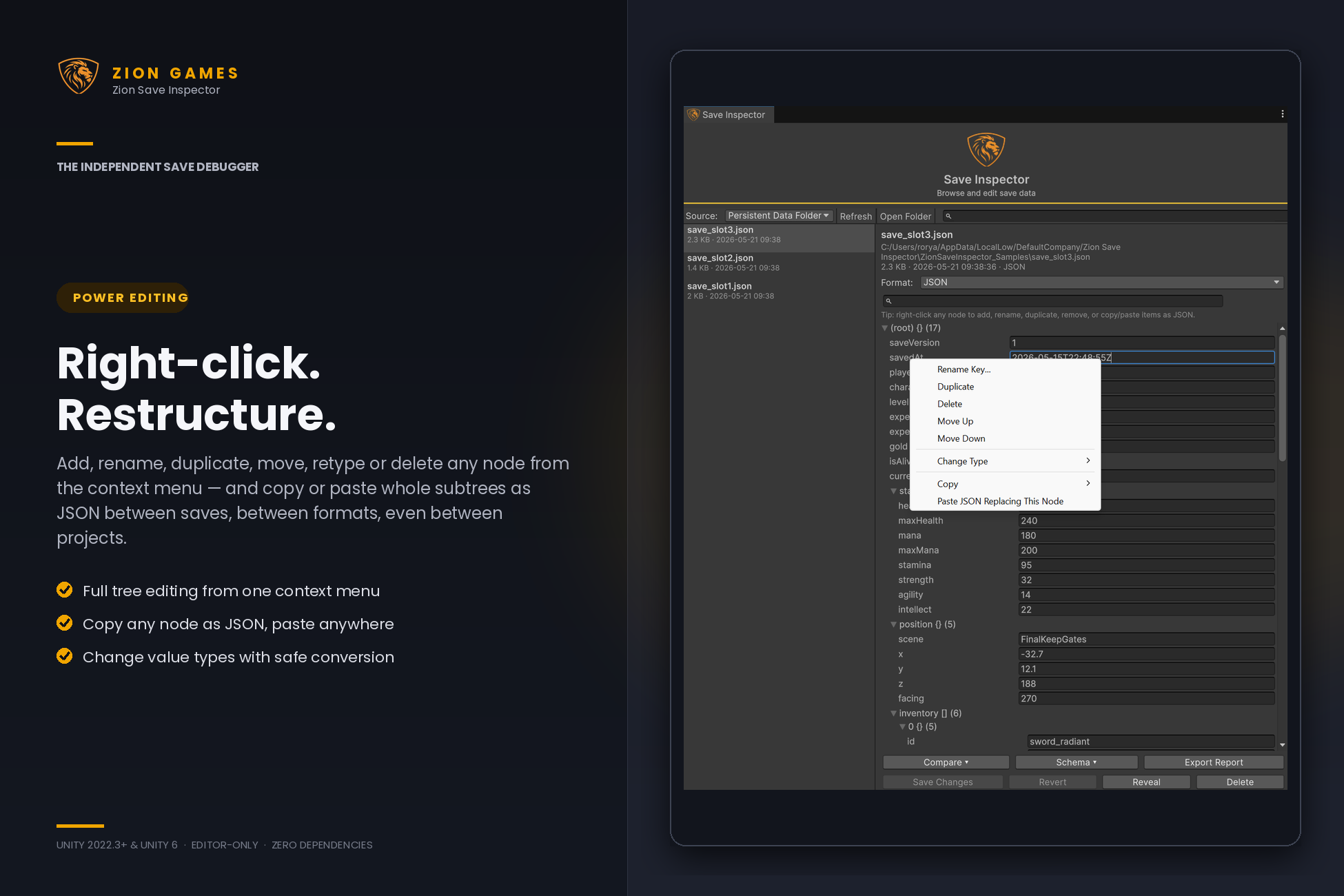
Copy any node as JSON and paste it into another save - even one in a different format or a different project. Export a Markdown support report with source, format, size and structure stats for your bug tracker.
Built for practical save debugging
Browse real save data
View available saves in a searchable list showing each entry's name, size and last-modified time. Select an entry to inspect its contents without manually locating and opening it.
Edit an expandable tree
Edit strings, numbers and booleans inline. Add, rename, duplicate, delete, move and change the type of object fields and array items through a context-menu workflow.
Override detected formats
The inspector automatically picks the best available format for each save, but you can switch formats manually when you need to inspect malformed or unusual data as raw text.
Stay inside Unity
Work directly from the Unity editor, reveal persistent saves in your operating system, refresh sources and inspect the data your game is actually writing.
Built-in save sources and formats
Zion Save Inspector includes practical built-in providers for common Unity save workflows, with a fallback path for data that is not JSON.
-
Persistent Data Folder: recursively finds
.json,.sav,.datand.savefiles underApplication.persistentDataPath. - PlayerPrefs: inspect watched keys or keys registered through the included runtime manifest workflow.
- JSON format: reads and writes editable JSON data with no external dependencies.
- Raw text fallback: opens any unsupported payload as an editable text field, useful for inspection or manual repair.
Designed with save safety in mind
Editing save data is useful, but it should not be careless. Zion Save Inspector's built-in sources include safeguards to reduce the risk of damaging active test data.
-
Persistent save files are written through a temporary file and atomic replacement,
with the previous version retained as a
.bakbackup. -
PlayerPrefs values are backed up to
EditorPrefsbefore they are overwritten or deleted. - Since 1.1, every backup doubles as a diff baseline - run Compare › With Backup before saving to preview exactly what the write will change.
- Unsaved changes are clearly marked, and you can revert an entry by reloading its original payload.
- Delete actions require confirmation before the source is changed.
As with any save-editing tool, make a copy before bulk or destructive testing.
Extend it for your own save system
Zion Save Inspector is source- and format-extensible. Add a custom source when your game stores saves somewhere new, or add a custom format when your payload needs a specialised parser and writer. Diff, validation, search and clipboard all operate on the parsed tree, so they work with your custom providers too.
Custom save sources
Implement ISaveSource to support systems such as
ScriptableObject snapshots, cloud save providers, databases,
in-memory test data or your own disk structure. Add
ISaveBackupProvider - one method - and your source gets
backup diffs exactly like the built-ins.
Custom save formats
Implement ISaveFormat to parse and write binary formats,
MessagePack, Protobuf, encrypted data, game-specific payloads or any
format your project uses.
Automatic discovery
Custom sources and formats are discovered automatically from editor assemblies. Add a concrete class with a public parameterless constructor, then refresh the window or allow Unity to reload the domain.
Ideal for
- Debugging save and load systems during development
- Pinpointing why a player's save differs from a working one
- Previewing exactly what a play session or an edit wrote to disk
- Validating incoming bug-report saves against a known-good schema
- Confirming what your game actually persists between sessions
- Testing progression, inventory, currency, unlocks and player state faster
- Repairing or investigating malformed JSON and text-based saves
- Inspecting PlayerPrefs values without building one-off debug menus
- Creating custom inspection workflows for proprietary save formats
Frequently Asked Questions
Is Zion Save Inspector included in game builds?
No. Zion Save Inspector is editor-only. It compiles into an editor assembly, so it is intended for development workflows and does not add runtime code to your shipped builds.
What save data can it inspect?
The built-in sources support persistent save files and PlayerPrefs. The architecture is extensible, so custom sources can support other locations such as ScriptableObjects, cloud saves, test fixtures or project-specific systems.
What formats are supported?
JSON and raw text are included. The raw text format acts as a fallback for unsupported payloads, and you can add custom formats for binary, encrypted or proprietary save data. Diff, validation and search work with every format, built-in or custom, because they operate on the parsed tree.
How does the save diff work?
Choose Compare with a save open and pick a comparison target: the source's automatic backup, another save in the same source, or any file on disk. Both saves are flattened to dotted paths and compared, and every difference appears as a colour-coded row with before and after values. The whole diff can be copied as Markdown for bug reports.
What does schema validation check?
A schema is captured from a save you trust and records every path and its type. Validating another save against it flags missing fields, type mismatches, and unexpected extra fields. Schemas are stored per project and survive editor restarts.
Can I modify save data?
Yes. You can edit primitive values, work with objects and arrays, copy and paste whole subtrees as JSON, then save changes back through the active source. Built-in persistent files and PlayerPrefs sources create backups before destructive updates.
How do I open the inspector?
Open Tools › Zion Games › Save Inspector from the Unity editor. The window remembers its layout and last-used source between sessions.
Spend less time guessing what was saved
Browse, edit, diff and validate your game save data without leaving the Unity editor.