
Find and fix duplicate Addressables dependencies in Unity
Two Addressables bundles can contain separate copies of the same texture, material or other asset. This can increase install size or downloads. Start by identifying what pulls the asset into each bundle, then compare build outputs before and after changing the layout.
Reproduce a duplicate in a test project
- Create two prefabs, such as
ForestCrateandTownCrate. Assign both the same material,CrateWood, with a texture of its own. - Make each prefab Addressable and put them in separate bundled groups. Leave the material and texture as implicit dependencies. Confirm the two entries resolve to separate bundles in your selected profile.
- Open the Addressables Groups window through Window → Asset Management → Addressables → Groups. Open Analyze and run Check Duplicate Bundle Dependencies. Menu labels can vary with the package version.
- Look for the shared material or texture in the results. Note which groups pull it in, then inspect the reference chain from each prefab. If the example produces no duplicates, confirm the prefab references and check that the groups actually produce distinct bundles.
Confirm what the content build ships
Build Addressables content using your target platform and profile, and inspect Unity’s build layout report. Search for CrateWood and its texture, then record the containing bundles and their sizes. The build layout records what was packed. Compare bundle sizes and dependencies using the same settings on both builds, especially compression and packing mode.
Where two entries reference different sprites in the same source file, check which objects and textures the bundles actually contain. A shared source path alone is insufficient to establish duplicate shipped data. Also run the separate Check Resources to Addressable Duplicate Dependencies Analyze rule if your game uses a Resources folder. Moving something into a shared Addressables group can leave Player content overlap in place when another asset still pulls it into Resources.
Choose a fix that matches how players load the content
- Move a common dependency into a shared group. In the example, make
CrateWoodan explicit entry in a shared bundled group. Rebuild and verify both prefab bundles reference the shared bundle. If other assets also reference the texture directly, check its placement separately. - Pack the consumers together when they are normally installed, loaded and updated together. Check that the packing mode actually puts them in the same bundle. This can be simpler than adding a new shared dependency.
- Keep a deliberate duplicate if the asset is small and separating it would add a dependency or download for content that must remain independently loadable. Record the trade-off so it can be reviewed later.
Review local and remote settings before moving entries between groups. For released content, test the change using your normal content-update workflow and the previous release’s content state. A smaller fresh install can still produce a larger patch for existing users.
Use Zion Dependency Graph to investigate a real project
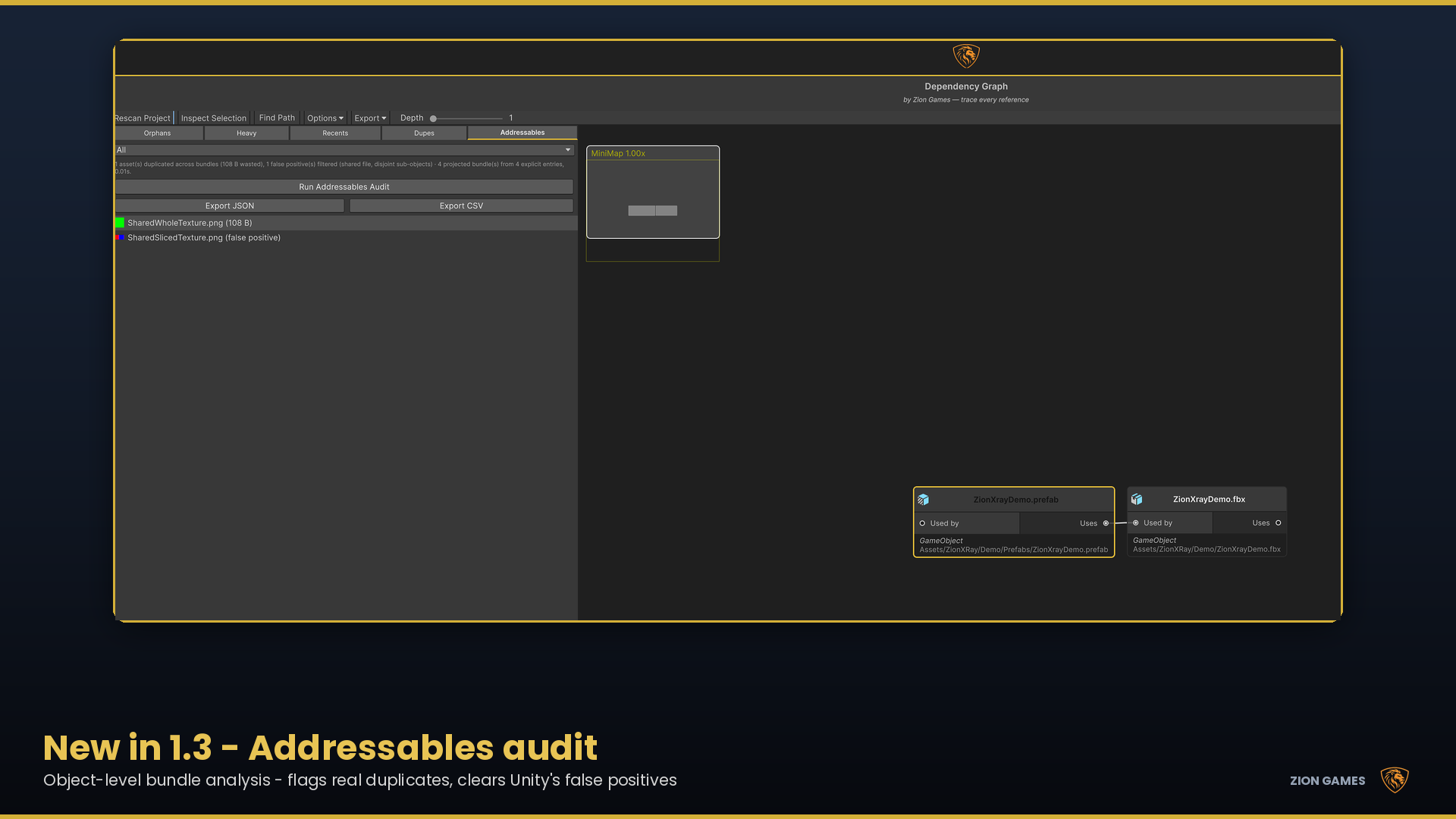
With Addressables installed, open the tool’s Addressables tab and run Run Addressables Audit. The audit projects bundle membership without a content build. Use the estimated cost to prioritise candidates, then inspect the references that pull each asset into the affected bundles. The audit checks sub-object references and reports Resources overlap separately. Make any group changes in Addressables and verify the result against an actual content build.
Verify the change before shipping
- Rebuild with the same profile, build target and compression settings. Keep both layout reports so you can compare the same bundles and dependencies.
- Load each prefab independently and verify its material renders correctly. For remote groups, test cold-cache download size and loading with a representative network connection.
- Check which bundles changed and how many bytes an existing player would download on update. Keep the layout that best fits your install, load and update constraints.
Unity Addressables Analyze reference · Unity build layout reports
Zion Dependency Graph · Addressables Audit documentation · All Unity guides